












Key Features
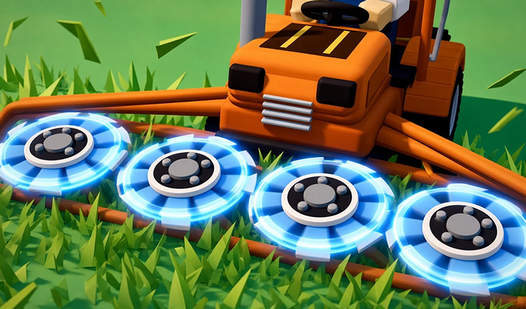
- Mower Growth: The machine gets bigger and more capable as you play.
- Increasing Difficulty: Each subsequent field contains thicker grass that requires a more powerful mower.
- Drone Assistance: You can spend stars earned from resets on a drone that automatically hauls grass to the sell point.
- Persistent Rewards: Stars earned during gameplay remain after a reset.
How to Play
Controls
On a computer, use WASD or arrow keys to drive. Hold the left mouse button and drag to steer, and press Esc for settings. On a phone, drag a finger to use the on-screen joystick.
Mowing and Selling
Mow the grass to fill your mower bed. Once the bed is full, drive to the Sell sign to sell your load.
Upgrading
Drive into the garage to purchase upgrades for your mower, such as wider blades, a roomier bed, and increased speed.
Progression
Finish a field to unlock the next one. After all fields are mown, you can press Reset at the bottom of the screen to start the season over.
Who Should Play Lawnmower Driving?
Frequently Asked Questions about Lawnmower Driving
What happens when I reset the season?
The mower resets, but you keep your stars to spend on permanent improvements like a faster ride or increased earnings.
Do I need to steer the camera?
No, on mobile devices the camera follows your mower from above automatically.
Is Lawnmower Driving free to play?
Yes, Lawnmower Driving is free to play on Nub Games. Optional in-app purchases are available. No download or registration required.
Can I play Lawnmower Driving on mobile?
Lawnmower Driving works on both desktop and mobile devices. Best played in landscape mode.
What age rating is Lawnmower Driving?
The catalog age rating for Lawnmower Driving is 0+.