




Key Features
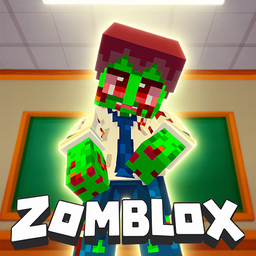
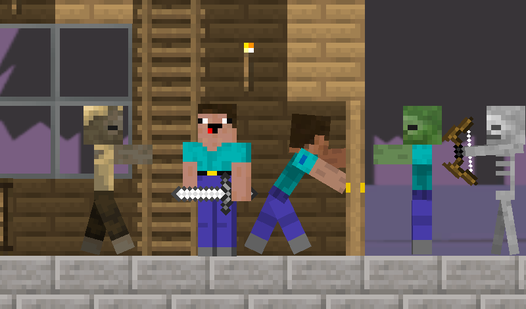
- Pixelated School Chaos: The hallways are packed with undead staff. You will spend most of your time ducking into classrooms to escape the swarms.
- Meme Hunt: Catching memes adds a weird layer of absurdity. They aren't just for show; they help you survive the later stages.
- Custom Skin Shop: Spend your hard-earned points on gear. Looking fresh while blasting zombies makes the inevitable respawn hurt less.
- Hidden Utility Rooms: Secrets are tucked away in the ventilation systems. Finding them is the only way to survive the toughest school levels.
How to Play
Mastering Zomblox controls
Use WASD to move and your mouse to aim. You need to keep your head on a swivel because those zombies flank you constantly. Zomblox controls feel a bit floaty at first, so don't expect to hit every shot until you get a feel for the physics.
How to play Zomblox effectively
Always check the ventilation shafts for hidden loot. You learn how to play Zomblox by scavenging for ammo before the waves get too heavy. Most players die because they stand still while reloading. Keep moving, circle-strafe the undead teachers, and save your ammo for the boss encounters.
Who Should Play Zomblox?
Frequently Asked Questions about Zomblox
Can I play Zomblox on my phone?
Yes, the game is fully compatible with mobile devices. You get the same FPS action on your touchscreen as you do on a desktop, though aiming is slightly harder.
How do you find secret areas in Zomblox?
Look for walls that look slightly out of place or ventilation grates that aren't bolted down. Exploring the utility rooms usually leads to the best gear upgrades.
Is Zomblox free to play?
Yes, Zomblox is completely free to play on Nub Games. Optional in-app purchases are available. No download or registration required.
Can I play Zomblox on mobile?
Zomblox works on both desktop and mobile devices. Best played in landscape mode.
What age rating is Zomblox?
The catalog age rating for Zomblox is 12+.