











Key Features
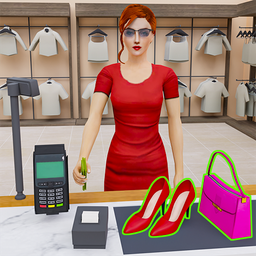
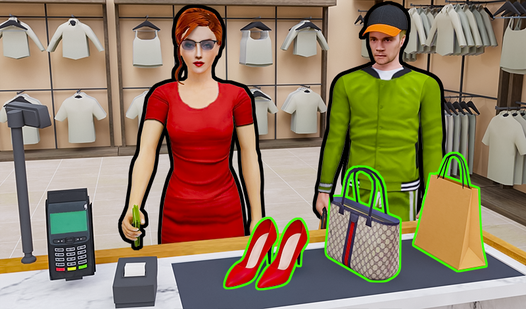
- Store Customization: Use the V key to change the shop appearance. Adjusting your layout helps you attract more customers to your 3d boutique.
- Brand Licenses: Buy new licenses to stock different clothing brands. This expands your inventory and increases your potential earnings as you grow the business.
- Active Management: Use your agility to move between racks and stands. You must maintain constant attention to your stock to maximize your cash flow.
How to Play
Clothing Shop 3D Online: Managing your inventory
Use E to interact with items and racks to fill your store. Stocking clothes is how you generate cash. If you ignore the inventory, your shop will stay empty and profits will drop. This is the main way to learn how to play Clothing Shop 3D Online efficiently.
What are the Clothing Shop 3D Online controls?
On a PC, use W, A, S, D to move and the mouse to rotate your camera. Press C to open the store menu and V to customize the appearance of your shop. You can use Q to throw items if you need to clear space quickly while organizing.
Who Should Play Clothing Shop 3D Online?
Frequently Asked Questions about Clothing Shop 3D Online
Can I play Clothing Shop 3D Online on my phone?
Yes, you can play on mobile devices. Use the joystick on the left of the screen for movement and the right side to control the camera view.
What are the Clothing Shop 3D Online controls for PC?
You move with W, A, S, D and use the mouse to look around. Additional interactions require C for the store menu, E for actions, Q to throw, and V for appearance.
Is Clothing Shop 3D Online free to play?
Yes, Clothing Shop 3D Online is completely free to play on Nub Games. There are no in-app purchases. No download or registration required.
Can I play Clothing Shop 3D Online on mobile?
Clothing Shop 3D Online works on both desktop and mobile devices. Best played in landscape mode.
What age rating is Clothing Shop 3D Online?
The catalog age rating for Clothing Shop 3D Online is 0+.