









Key Features
- Living Gallery: Your completed grids turn into wandering NPCs. Watching them bump into each other makes the screen feel alive.
- Pixel Growth: The complexity scales up. You start with tiny shapes, but you will eventually tackle huge, detailed character portraits.
- Mob Collection: Every success adds a new member to your army. It feels good to see the screen fill up.
- Touchy Accuracy: The hitboxes on the tiny pixels are small. You might misclick on mobile screens if you rush too much.
How to Play
CubeArt: Mine Coloring: How to paint
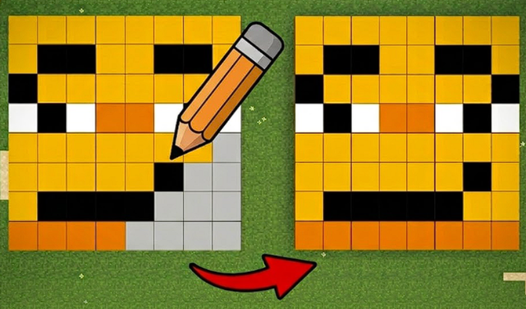
Use your mouse or tap the screen to fill in the grid. You need to match the colors to the pattern hidden underneath. Use CubeArt: Mine Coloring controls to toggle between colors quickly. If you mess up a single tile, the mob won't spawn correctly. It is a total buzzkill.
Mastering CubeArt: Mine Coloring mobs
Once you finish a board, your mob joins the others wandering the screen. This is how to play CubeArt: Mine Coloring if you want a full zoo. Don't worry about speed. Just focus on placement. The real test is the massive, high-density patterns that appear once you start hitting the later stages.
Who Should Play CubeArt: Mine Coloring?
Frequently Asked Questions about CubeArt: Mine Coloring
Can I play CubeArt: Mine Coloring on my phone?
Yes, it works fine on mobile devices. You just tap the squares instead of clicking, though tiny screens make the late-game grids feel a bit cramped.
What are the controls for CubeArt: Mine Coloring?
You use your mouse to click and select colors from the palette. On mobile, CubeArt: Mine Coloring uses simple tap gestures to fill in the color blocks.
Is CubeArt: Mine Coloring free to play?
Yes, CubeArt: Mine Coloring is free to play on Nub Games. No download or registration required.
What age rating is CubeArt: Mine Coloring?
The catalog age rating for CubeArt: Mine Coloring is 0+.