



Key Features
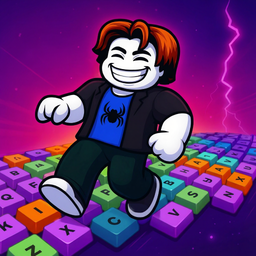
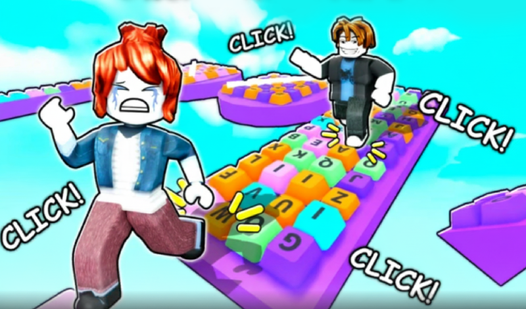
- Tactile sound design: Every jump triggers a crisp mechanical switch sound. It turns a standard climb into a weirdly satisfying ASMR session.
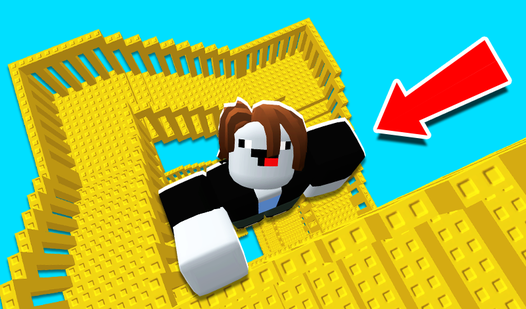
- Vertical scale: The tower stretches high into the void. You will feel small once you reach the upper sections.
- Punishing physics: The hitbox on the edges feels a bit thin. You will likely slip off if you don't land dead center.
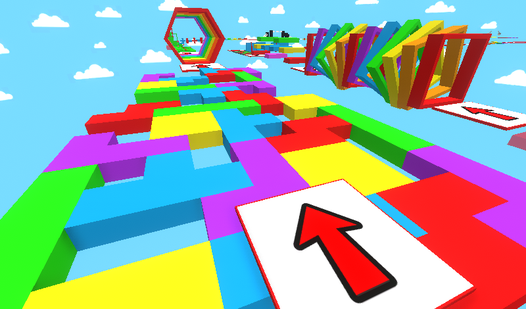
- Minimalist aesthetic: Clean white plastic and neon lights. It keeps your focus on the jumps instead of distracting background clutter.
How to Play
Mastering Clicky Keyboard Tower movement
Use WASD or your touch screen to navigate the keycaps. You need to keep momentum while hopping across the gaps. If you stop moving, you lose your rhythm. Check your Clicky Keyboard Tower controls to see if the sensitivity works for you. Don't rush the jumps; precision beats speed every single time.
Why Clicky Keyboard Tower resets are harsh
The game forces you to start over if you fall, which is honestly the most frustrating design choice I have encountered. Learn how to play Clicky Keyboard Tower by observing the sound cues. Each key makes a distinct noise when you land. Use those audio hints to time your next leap accurately.
Who Should Play Clicky Keyboard Tower?
Frequently Asked Questions about Clicky Keyboard Tower
Can I play Clicky Keyboard Tower on my phone?
Yes, it works fine on mobile browsers. The touch controls are responsive enough to handle the jumps, though it is slightly harder to see the edges compared to a desktop monitor.
How do you recover from a slip in Clicky Keyboard Tower?
You actually cannot recover once you miss a platform. Since there are no checkpoints, a single mistake forces a full restart, so stay focused on your landing spot.
Is Clicky Keyboard Tower free to play?
Yes, Clicky Keyboard Tower is completely free to play on Nub Games. Optional in-app purchases are available. No download or registration required.
Can I play Clicky Keyboard Tower on mobile?
Clicky Keyboard Tower works on both desktop and mobile devices. Best played in landscape mode.
What age rating is Clicky Keyboard Tower?
The catalog age rating for Clicky Keyboard Tower is 0+.