


Key Features
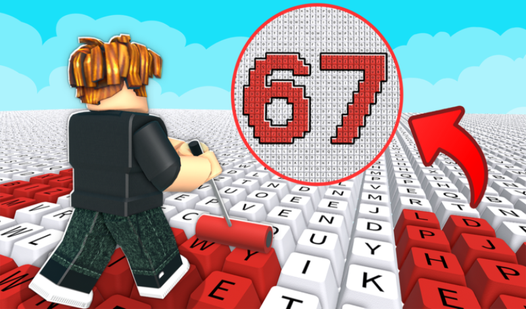
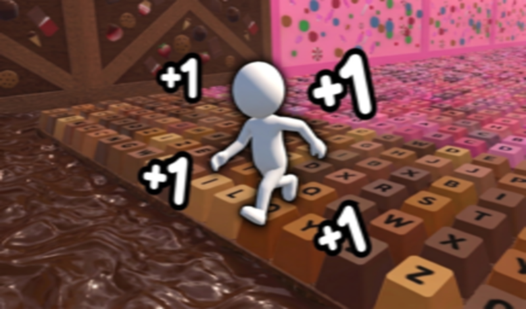
- Unique Paints: Purchase specialized types like honey or lava. These options increase your income per key significantly.
- Hiring Workers: Bring on helpers to automate the painting process. They generate currency while you focus on expansion.
- Character Upgrades: Boost your speed and efficiency. You will cover ground faster and earn more money.
- Global Leaderboards: Compare your painted key count against others. Aim for the top spot on the scoreboard.
How to Play
Mastering Obby: Paint Your Keyboard! movement
Use WASD on your PC to navigate the board. On mobile, use the left joystick to move around. You must learn to maneuver effectively because covering the entire surface is how you generate currency. This is how to play Obby: Paint Your Keyboard! if you want to reach every corner.
Using Obby: Paint Your Keyboard! controls to interact
Hold E to interact with objects and expand your base. You need to keep an eye on your surroundings while you work. Consult the Obby: Paint Your Keyboard! controls to ensure you are jumping with Space or using the right mouse button to rotate your view for a better angle.
Who Should Play Obby: Paint Your Keyboard!?
Frequently Asked Questions about Obby: Paint Your Keyboard!
Can I play Obby: Paint Your Keyboard! on my phone?
Yes, the game is supported on mobile devices. You can control your character using the left joystick and the on-screen buttons.
What are the Obby: Paint Your Keyboard! controls?
On PC, use WASD to move, Space to jump, and hold E to interact with objects. You can also rotate the camera with the right mouse button.
Is Obby: Paint Your Keyboard! free to play?
Yes, Obby: Paint Your Keyboard! is free to play on Nub Games. Optional in-app purchases are available. No download or registration required.
What age rating is Obby: Paint Your Keyboard!?
The catalog age rating for Obby: Paint Your Keyboard! is 0+.