
Obby Escape Barry's Prison Guide and Walkthrough

In Obby Escape Barry's Prison, your goal is to escape a prison-themed obstacle course by clearing platforms, traps, and parkour sections in order. The core strategy is simple: do not rush into an unfamiliar obstacle. Inspect the safe route, align the camera, and only then jump. On a tablet, control movement with one hand while using the other for jumping and camera adjustments.
How do you play Obby Escape Barry's Prison on a tablet?
The easiest tablet setup is landscape orientation with the controls divided between both hands.
Turn the device sideways before starting and enable full-screen mode if your browser supports it. A wider play area makes platforms easier to see and keeps your fingers from covering important edges. Use your left hand for the virtual movement stick. Use your right hand for the jump button and swipe across an empty part of the screen to rotate the camera.
Do not keep both fingers close together. If the finger controlling the camera touches the jump button or movement area, the character may turn in midair. That often causes a fall on narrow platforms. Pick a comfortable hand position before a difficult section and keep it consistent.
If the touch buttons do not appear, tap the game area, refresh the page, and return to full-screen mode. Close browser pop-ups and check whether the browser is requesting the desktop version of the page. If one obby build does not recognize touch input, try another game from the selection. Similar versions can use different interfaces and control systems.
Close unnecessary tabs on a slower tablet. Frame drops are especially disruptive during jumps because the screen can display the character's position too late. If the game includes a quality setting, lower it until movement becomes stable. Responsive controls are more useful than detailed shadows.
How do you play step by step?
Clear the obby in short sections and reassess the distance and controls whenever you encounter a new obstacle type.
- Look around before moving so you can identify the route instead of jumping onto decoration.
- Test movement on a safe floor so you understand the sensitivity of the stick or keys before the first trap.
- Point the camera along the route so the edge of the next platform remains visible.
- Approach the jump without sudden corrections so you do not slide off too early.
- Aim for the center of the platform so a small directional error does not cause a fall.
- Release movement after landing so the character does not run over the opposite edge.
- Stop before a moving trap so you can read its rhythm and choose a safe opening.
- Activate a checkpoint when one is available so a mistake does not erase completed progress.
- Repeat a difficult move consistently, changing only one detail per attempt so you can identify the cause of each fall.
Do not treat the entire course as one continuous sprint. Speed helps on sections you already know, but it creates extra mistakes on new obstacles. A short pause before a trap usually saves more time than several rushed restarts.
How can you land jumps more accurately?
An accurate jump starts with a straight approach, a stable camera, and a clear landing target.
Look at the center of the surface you want to reach instead of staring at your character. Aiming for the nearest edge leaves no room for a small error, while the center provides space on every side. Before jumping, raise the camera slightly so you can see both the edge beneath you and the planned landing point.
Short jumps may not require you to hold movement for long. Build a little momentum, jump, and reduce the input before landing. Longer gaps may require a longer input, but you should still release it before reaching the far edge. The exact timing depends on the physics of the selected version, so test it on safe platforms first.
Avoid making several sharp left and right corrections in midair. They are difficult to control on a touchscreen and can make the final direction unpredictable. If the character drifts slightly, make one gentle correction. If the trajectory is already too far off, remember what caused it and prepare a cleaner next attempt instead of swiping randomly.
How do you get past moving traps?
A moving trap becomes much easier after you watch one complete movement cycle.
Wait on a safe surface and check where the obstacle accelerates, slows down, or reverses direction. Do not start merely because it has moved away. Start when you understand how much time remains before it returns. If the route contains several safe platforms, cross one at a time and reassess the next cycle from each stopping point.
Position the camera so you can see both the trap and your destination. A side view helps with crossing timing, while a higher view is useful on narrow paths. Choose the angle before moving. Rotating the camera while running can also change the character's direction, particularly on a tablet.
If an obstacle pushes the character or sends you back to the beginning of a section, do not follow directly behind it without testing the distance. Collision areas can vary between traps. Leave a small visible gap, then continue once the path is clearly open.
What should you do on narrow paths and corners?
Use fewer inputs on a narrow path and move in short, straight segments.
Align the camera directly with the path, place the character near its center, and push the stick forward gently. Do not move your finger from side to side when the path is straight. At a corner, stop completely, turn the camera toward the new direction, verify the route, and then continue.
With a keyboard, short taps are usually more precise than holding a key. A small tilt of the virtual stick produces a similar effect on a tablet. Maximum input is useful on broad floors, but it leaves too little time to stop on a narrow ledge.
When the camera gets too close to a wall, it may suddenly change its angle. Do not fight the camera while continuing to run. Return to a safe position, correct the view, and try the approach again. A few seconds of preparation are safer than a blind jump.
How do you avoid losing progress after a fall?
Use checkpoints whenever they appear and confirm that each one activates before attempting the next dangerous section.
A checkpoint may appear as a separate platform, marker, or noticeable route element. Do not skip it to save a second. Step onto its safe area and wait for visual feedback if the game provides any. Continue only after you have properly crossed it.
If the character respawns far behind the place where you fell, the most recent checkpoint may not have activated, or the section may save progress differently. On the next attempt, cross the suspected checkpoint more slowly. Avoid refreshing the browser tab without a reason because restarting the page can reset the current run in some browser games.
Pause briefly after respawning. Check the camera angle and your finger placement because the interface may restore its default view. Running immediately often leads to a second fall at exactly the same obstacle.
Which techniques help you clear the obby faster?
Consistent execution is faster than trying to sprint through every part of the course.
- Before a difficult jump, I align the camera with my movement and target the center of the platform. I then leave the camera alone until I land, which keeps the character's direction predictable.
- I watch one full cycle of every unfamiliar moving trap. This short pause reveals the safe opening and removes the need to guess its rhythm while running.
- On a tablet, I release the virtual stick as soon as the character touches the platform. Holding it forward can carry the character across the entire surface and over the opposite edge.
- After a failed attempt, I change only one variable: the starting moment, the length of the movement input, or the camera angle. If everything changes at once, I cannot tell which correction actually worked.
These techniques are especially effective when several simple actions are combined into a long sequence. Break the section into separate phases: approach, wait, jump, and stop. Once every phase becomes repeatable, the whole route feels much more manageable.
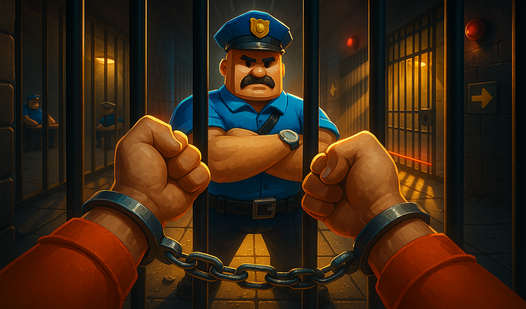
How are the similar Barry's Prison escape games different?
Similar versions share the prison obby concept but may use different physics, camera behavior, obstacle layouts, and touchscreen support.
Do not carry exact jump timing from one version into another. Test the movement speed and normal jump distance in a safe area first. If the controls feel too sharp or the tablet interface lacks usable buttons, another version may be a better fit.
The general strategy remains the same: inspect the route, aim for platform centers, learn each trap's cycle, and activate checkpoints. Experience from one game still helps even when the rooms and obstacles are arranged differently.
FAQ
Can you play Obby Escape Barry's Prison on a tablet?
Yes, as long as the selected version supports touch controls. Use landscape orientation and full-screen mode, then divide movement, jumping, and camera control between both hands.
Why does the character keep moving after a jump?
You are probably holding the movement input for too long. Reduce or release the stick before landing, then pause briefly as soon as the character touches the platform.
How do you pass a trap that keeps knocking the character down?
Watch one complete trap cycle, identify the safe opening, and start with enough time to spare. Keep the camera stable during the crossing and do not move too close to the obstacle.
What should you do if the touch controls do not appear?
Tap the game area, refresh the page, disable the browser's desktop-site mode, and return to full screen. If that does not work, try another obby version that supports tablet controls.