
Obby Parkour Tower of Hell Walkthrough and Item Search

In Obby Parkour: Choose Your Tower of Hell, your goal is to reach the top by crossing a chain of obstacles without falling. Do not try to clear the whole tower in one rush. Inspect the next section, set the camera, wait for a favorable platform position, and then jump. Accuracy matters more than speed, while an unfamiliar obstacle is best tested with a short, controlled move.
How do you beat an Obby Tower of Hell?
To beat a Tower of Hell, divide the route into short sections and attempt each jump only after checking the landing point.
Before moving, look upward and identify the general direction of the route. You probably cannot memorize the entire tower, but seeing which side holds the next platform is useful. It prevents you from reaching an edge, turning the camera only after landing, and accidentally walking off.
On narrow objects, keep your character near the center. If the next obstacle moves or rotates, do not chase it immediately. Watch one full cycle, find the moment when the gap is smallest, and begin your run slightly before that point. Release the direction control after landing so momentum or an extra input does not carry the character over the opposite edge.
Do not repeat a failed jump in exactly the same way. A fall usually points to one of three problems: a late start, a poor camera angle, or holding the direction too long. Change one element per attempt. This makes the cause easier to identify and keeps you from clearing familiar sections through luck alone.
How do you play step by step?
A consistent sequence saves attempts and turns an unfamiliar tower into a manageable set of tasks.
- Choose a tower and assess the route. Check the platform density, moving objects, and available running space.
- Set the camera. Keep your character, the current edge, and the intended landing point visible together.
- Move to the starting position. Leave room for a short run without standing dangerously close to the edge.
- Wait for a favorable phase. Start as a moving platform approaches instead of waiting until it is already moving away.
- Jump toward the center. Aim for the widest and safest part of the target rather than its nearest edge.
- Stop after landing. Release the controls for a moment, restore your view, and confirm that the character is stable.
- Study the next obstacle. Check its height, distance, direction, and possible movement before jumping again.
- Correct one specific mistake. After a fall, adjust the timing, angle, or run length of the final jump.
When several routes are available, begin with the one that offers the clearest view of its landing points. A route that looks short can be harder because of blind jumps and narrow turns. A longer route with wider platforms often produces a more reliable result.

How do you clear difficult levels without falling as often?
On difficult levels, slow down, remove unnecessary movement, and prepare the camera before every dangerous transition.
The main problem on a hard section is often not slow reactions. It is trying to run, jump, and rotate the camera at the same time. Separate those actions. Set the view first, place the character on the running line, and only then jump. If you must adjust the view in the air, use a small movement because a large turn can make the character's direction unpredictable.
Do not switch to an automatic rhythm on a row of similar platforms. The distances may look identical while the angle or height changes slightly. Check the new target after each landing. At a corner, stopping to rotate the camera is safer than attempting to change direction at the final moment.
My practical tips:
- I aim for the middle third of a platform. If the jump is slightly longer or shorter than expected, there is still room on both sides.
- I watch a moving obstacle complete one full cycle before my first attempt. A few seconds of observation usually saves more time than climbing again.
- I release the movement control as soon as the landing is secure. Holding forward works on a long platform, but it causes many falls on narrow ones.
- I position the camera before starting my run. Adjusting it at the edge can turn the character or let the character model hide the landing point.
How do you beat level 24 in Obby Tower of Hell?
Treat level 24 as a new combination of familiar obstacles, testing the start, flight, and stop of each jump separately.
The layout can differ between game versions, so there is no universal secret button or exact route. First identify the action that causes the fall. If the character falls short, start farther from the edge or hold the direction slightly longer. If the character overshoots, shorten the run and release the control sooner. When the jump has enough distance but the character slides off after landing, the problem is the stop rather than the jump.
Check the camera as well. For a straight jump, place it behind the character so the movement direction matches the center of the screen. For a sideways transition, a slightly higher view may reveal the shape of both platforms. Do not try to master the entire level at once. Learn to clear the first difficult element consistently, then add the next one.
If the level comes after a long climb, take a short pause. Fatigue encourages hurried inputs and attempts to rush a familiar section without preparation. One calm inspection costs less than climbing the whole tower again.
What should you do if the tablet controls are missing?
If the controls do not appear on a tablet, refresh the page, check the screen orientation, and make sure the browser is not covering part of the game area.
First, tap an empty area inside the game. Some browsers do not pass input until the game window receives focus. If nothing changes, rotate the tablet to landscape mode and wait a few seconds. Exit full-screen mode and enter it again. The browser toolbar, an open keyboard, a system prompt, or page zoom can cover the virtual controls even when the cause is not immediately obvious.
Next, reload the page and let the game finish loading without tapping the screen repeatedly. Close unused tabs and apps if the game freezes or loads only part of its interface. Restore the browser zoom to its default setting. On Android, reopening the page in an updated version of Chrome or another modern browser may help. On an iPad, try Safari again and disable the desktop version of the site if that option is active.
If the buttons are visible but unresponsive, clean the screen, leave split-screen mode, and test touch input on other page elements. Temporarily disconnect a keyboard, mouse, or controller. A connected device can sometimes switch the selected control scheme. Test the game after each action so you can identify the actual solution.
When the interface is missing only in one game, open another tower from the selection. If its controls work, the issue is probably connected to the loading of that particular game. If no game displays controls, the browser, zoom level, or screen mode is the more likely cause.
Where can you find the character in a hat during hide-and-seek?
Search for the character in a hat one zone at a time, checking closed corners, areas behind large objects, and places above the normal viewing line.
Do not run around the whole map randomly. Divide the accessible area into sections and finish searching each one before moving on. Start along the outer perimeter. Follow the walls, look behind decorations, and inspect corners that are hidden from the starting point. Search the central area next, then move to elevated routes.
The hat may be easier to notice than the full character, so look for a small contrasting shape above a hiding place. Raise or lower the camera near tall objects. A platform edge, staircase, or piece of scenery can hide the character from the default angle. If a nearby passage looks decorative, approach it and check whether you can walk around the back of the object.
The exact position may depend on the map version or current round. An older video will not always provide a ready-made answer. Use it to recognize the type of hiding place, but compare the surroundings with your own game. Return to the starting area after one complete search. Players often miss a visible object near the beginning because they immediately run forward.
How do you choose the right Tower of Hell?
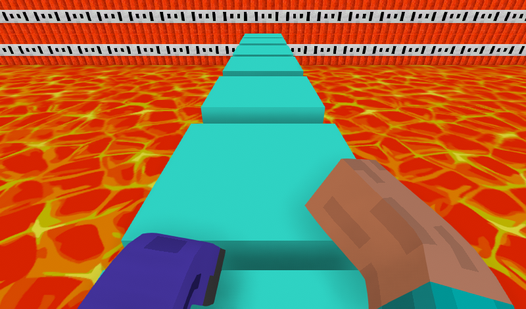
Start with a tower where the route is visible in advance and wide platforms alternate with short, difficult sections.
Do not judge difficulty by height alone. A tall tower with several long climbs may be easier than a compact route filled with blind corners. Look at how often you must change direction, whether there is room to stop, and how clearly you can see platform edges.
If you play on a tablet, an open view and larger landing areas are especially useful. Your fingers cover part of the screen, so a route with frequent sideways jumps can feel harder. A computer makes quick camera adjustments easier, although excessive mouse sensitivity can also cause mistakes. Choose a tower based on the movement you want to practice rather than its name.
Which mistakes most often prevent progress?
Players most often fall because they rush, use a poor camera angle, or keep holding forward after landing.
Do not jump until you can see the center of the target. From a side angle, the nearest edge does not show the platform's true size. Do not copy another player's pace exactly because the control method, screen size, and input delay may differ. Follow the route, but choose your own starting moment.
Another mistake is changing the entire strategy after every fall. If a jump was close, do not alter the run, camera, and direction together. Correct one parameter. The next attempt will provide useful information even if it also ends in a fall.
Finally, do not try to preserve speed after a successful sequence. The higher you climb, the more valuable a short pause becomes before an unfamiliar obstacle. The completed platforms have already shown that your technique works. Risking all of that progress to save a few seconds is unnecessary.
FAQ
How should you jump in an Obby Tower of Hell?
Place the camera behind the character, leave room for a short run, and aim for the center of the platform. Release the direction immediately after landing on a narrow surface.
Can you beat level 24 without a special item?
Do not assume that an unknown item is necessary unless the game clearly requires one. Check the jump timing, run length, camera angle, and stop after landing first.
Why are the control buttons missing on my tablet?
The buttons may be hidden by page zoom, desktop site mode, a system panel, or incomplete loading. Refresh the page, use landscape orientation, and restore the default zoom.
Where is the character in a hat usually hidden?
Check corners, areas behind large objects, upper platforms, and the back sides of decorations. Look for the outline of the hat appearing above the hiding place.