







Key Features
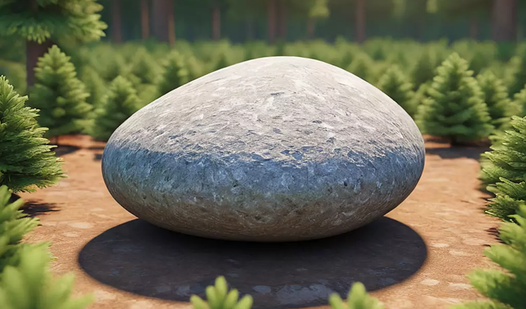
- Weighty physics: The stone carries real momentum. You have to account for the drag when you spin.
- Minimalist aesthetic: Nothing distracts from the rock. It stays focused.
- Competitive climbing: The leaderboard tracks your efforts. It gets cutthroat at the top.
- Browser convenience: Jump in for free. No installation.
How to Play
Mastering The Perfect Stone Simulator movement
The Perfect Stone Simulator controls rely on your mouse to rotate the camera. On mobile, just swipe. Don't flick your wrist too hard or you will lose your orientation instantly. Learning how to play The Perfect Stone Simulator requires patience since the physics engine feels heavy and occasionally stubborn.
Ranking up in The Perfect Stone Simulator
Press Tab on your keyboard to check the leaderboard. If you are on a phone, look for the button in the corner. Most players mess up by trying to rush the rotation. Slow down your movements to find the sweet spot, or you will never hit the top scores.
Who Should Play The Perfect Stone Simulator?
Frequently Asked Questions about The Perfect Stone Simulator
Can I play The Perfect Stone Simulator on my phone?
Yes, it works perfectly fine on mobile devices. Just swipe your screen to rotate the camera and use the on-screen button to check your rank.
What are the controls for The Perfect Stone Simulator?
The Perfect Stone Simulator controls are simple mouse movements for desktop users. You rotate the camera to inspect the rock from every possible angle.
Is The Perfect Stone Simulator free to play?
Yes, The Perfect Stone Simulator is completely free to play on Nub Games. There are no in-app purchases. No download or registration required.
Can I play The Perfect Stone Simulator on mobile?
The Perfect Stone Simulator works on both desktop and mobile devices. Best played in landscape mode.
What age rating is The Perfect Stone Simulator?
The catalog age rating for The Perfect Stone Simulator is 0+.