






Key Features
- Adaptive difficulty: The AI scales from simple to ruthless. You will feel the difference as it starts predicting your moves.
- Cloud syncing: Your progress moves with you. Switch from desktop to mobile and your settings stay locked in.
- Visual toggles: Switch between nature, classic, and candy themes instantly. Dark mode saves your eyes during late-night sessions.
- Global leaderboards: Rack up points to climb the ranks. The multiplier grows when you tackle the brutal 12x12 board.
How to Play
Mastering Take the Corner tactics
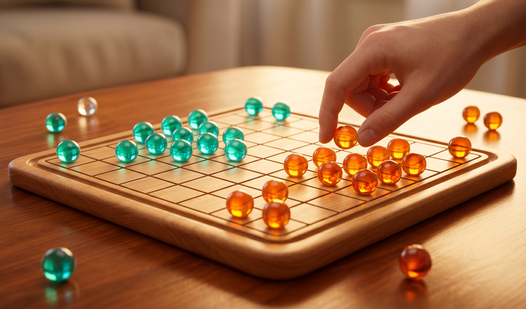
Use your mouse or tap to select and move pieces toward the target zone. You need to block the AI while keeping your own path open. Take the Corner controls respond best with deliberate clicks. Most players lose because they focus on offense and forget to defend their own corner.
How to play Take the Corner efficiently
Learn how to play Take the Corner by watching the AI patterns. The CPU loves to funnel you into corners. If you get stuck, use the undo function to fix a blunder. Be careful, because watching ads to undo moves gets tedious if you make mistakes early.
Pushing Take the Corner limits
Once you crush the 8x8 board, jump to the 12x12 grid. It feels like a completely different beast with sixteen pieces. The hard difficulty setting is an absolute nightmare that will humble you fast. Keep your eyes on the global leaderboard to see how your high scores stack up.
Who Should Play Take the Corner?
Frequently Asked Questions about Take the Corner
Can I play Take the Corner on my phone?
Yes, it runs right in your mobile browser. Everything syncs to the cloud so you can keep your progress without any hassle.
How do you undo a move in Take the Corner?
You just tap the undo button on the screen. You will have to watch a short ad to pull it off, though.
Is Take the Corner free to play?
Yes, Take the Corner is free to play on Nub Games. No download or registration required.
What age rating is Take the Corner?
The catalog age rating for Take the Corner is 0+.