



Key Features
- Color layering: The game tracks your brush strokes across the hooves. You can build up deep, vibrant pigments by overlapping layers.
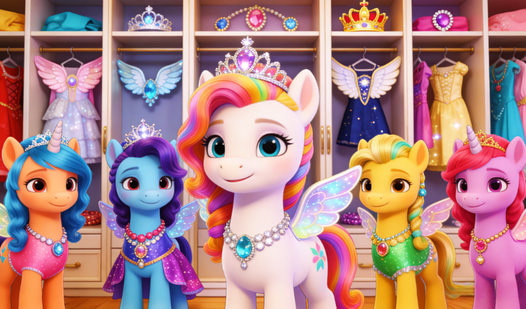
- Accessory physics: Jewels and crowns snap to specific anchor points. They wobble slightly when you move the pony.
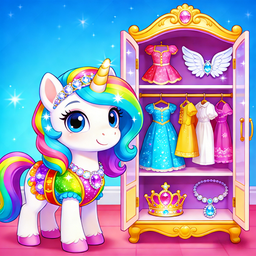
- Style library: There are dozens of unique wings and outfits. Some combinations look genuinely bizarre if you ignore the color wheel.
- Responsive UI: Menus hide when you start painting. This gives you a clear view of your work without clutter.
How to Play
Mastering Pony Manicure tools
Understanding the Pony Manicure controls is simple. Use your mouse or tap to drag brushes and accessories onto the pony. You click to select a color, then hold to apply it. Don't rush your strokes or you'll miss the messy edges. Learning how to play Pony Manicure takes seconds, but precision is key.
Pony Manicure: Getting the look right
Once you finish the hooves, move to the wings and crowns. Experimenting with different color palettes creates better results. A common mistake is clicking too fast, which causes the game to skip your selections. If you want a truly cohesive outfit, keep your accessory choices limited to two main colors.
Who Should Play Pony Manicure?
Frequently Asked Questions about Pony Manicure
Can I play Pony Manicure on my phone?
Yes, it works on mobile browsers without any issue. The touch interface is actually more responsive than the mouse for the fine painting tasks.
How do you change the nail color in Pony Manicure?
Select the polish bottle from the side menu and then tap the specific hoof you want to paint. It applies the color instantly to that area.
Is Pony Manicure free to play?
Yes, Pony Manicure is completely free to play on Nub Games. There are no in-app purchases. No download or registration required.
Can I play Pony Manicure on mobile?
Pony Manicure works on both desktop and mobile devices. Best played in landscape mode.
What age rating is Pony Manicure?
The catalog age rating for Pony Manicure is 6+.