












Key Features
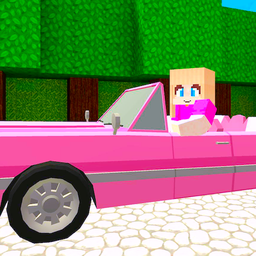
- Blocky Life Sim: Build your routine in a pink Minecraft world. Every block matters—place furniture wrong, and guests complain during parties. Keeps things feeling alive and customizable.
- Quest Chains: Chain tasks from eating to earning coins. Rewards stack up, but skip one and your progress halts cold.
- Mini-Game Mayhem: Tag or hide-and-seek turns the mansion into a playground. Friends scatter fast; chase them through block halls for laughs.
- Character Care: Feed, bathe, sleep—neglect it, and energy tanks. Simple loop, but ties everything to quests without mercy.
- Coin Economy: Shop for outfits or treats with quest earnings. Bare rooms start empty; furnishing changes how play flows.
How to Play
Pink Barbie Dollhouse: Getting Started with Basics
How to play Pink Barbie Dollhouse? Choose your character and skin first, then use WASD to move around the blocky mansion—E interacts with stuff. Keep energy up by eating and sleeping; skip that and your doll crashes mid-quest. Common mistake: ignoring the hunger bar early on. You'll stall out fast without snacks from the kitchen.
Pink Barbie Dollhouse Controls and Daily Tasks
Pink Barbie Dollhouse controls are straightforward—WASD for walking, E to grab items or chat. Bathe your character to stay clean, earn coins from quests to buy treats or decor. Invite guests for hide-and-seek; it's chaos in those big rooms. Mess up the schedule? Energy drops, and missions drag.
Pink Barbie Dollhouse: Unlocking Quests and Mini-Games
Complete task lines to unlock tag, shopping sprees, and more furniture options. Later quests ramp up with timed challenges—get ready to juggle feeding and running. Some feel grindy if you're not stocking the house right. Nail them all for full access to the mansion's secrets.
Who Should Play Pink Barbie Dollhouse?
Frequently Asked Questions about Pink Barbie Dollhouse
How do you complete quests in Pink Barbie Dollhouse?
Follow the task list in the menu—feed your character, then interact with objects using E. Energy must be full, or the quest fails; stock up on food first to avoid restarts.
Can I play Pink Barbie Dollhouse on my phone?
Yes, it's built for mobile too—tap to move and interact instead of keys. Controls adapt, but the blocky world shines more on desktop for precise building.
What are the controls for Pink Barbie Dollhouse?
WASD moves your character on desktop, E for interactions. On mobile, swipe to walk and tap screens for actions—simple setup that clicks quick.
Is Pink Barbie Dollhouse free to play?
Yes, Pink Barbie Dollhouse is completely free to play on Nub Games. There are no in-app purchases. No download or registration required.
Can I play Pink Barbie Dollhouse on mobile?
Pink Barbie Dollhouse works on both desktop and mobile devices. Best played in landscape mode.
What age rating is Pink Barbie Dollhouse?
The catalog age rating for Pink Barbie Dollhouse is 6+.