











Key Features
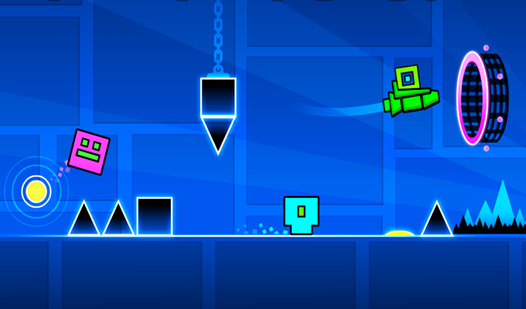
- Beat-Synced Hazards: Platforms move exactly on the snare hit. If you aren't listening to the track, you're basically flying blind.
- Hardcore Checkpoints: Levels are split into manageable chunks. You won't have to restart the entire track after one tiny slip.
- Custom Cubes: Unlock new skins as you progress. It’s the only way to show off your progress on the leaderboards.
- Slippery Physics: The movement feels a bit floaty at first. You might overshoot platforms until you get used to the momentum.
How to Play
Geometry Dash 2.2: Master the Jump
To learn how to play Geometry Dash 2.2, understand that the rhythm is your only guide. Use your mouse click or spacebar—those are the primary Geometry Dash 2.2 controls. If you try to jump based on sight alone, you will lose. Sync every movement to the music to clear the platforms.
Geometry Dash 2.2: Avoiding the Wipeout
A common mistake is trying to spam clicks through complex sections. You need to hold or tap with purpose, or you'll hit a hitbox and restart instantly. Don't worry about the difficulty spike; checkpoints keep you sane. Later levels get pretty brutal, so prepare to respawn a lot.
Who Should Play Geometry Dash 2.2?
Frequently Asked Questions about Geometry Dash 2.2
Can I play Geometry Dash 2.2 on my phone?
Yes, you can run this in your mobile browser without installing an app. It plays just as well on a touchscreen as it does on a desktop.
How do you respawn in Geometry Dash 2.2?
The game handles this automatically. Once you hit a hazard, you are instantly sent back to the most recent checkpoint so you can try that jump again.
Is Geometry Dash 2.2 free to play?
Yes, Geometry Dash 2.2 is completely free to play on Nub Games. There are no in-app purchases. No download or registration required.
Can I play Geometry Dash 2.2 on mobile?
Geometry Dash 2.2 works on both desktop and mobile devices. Best played in landscape mode.
What age rating is Geometry Dash 2.2?
The catalog age rating for Geometry Dash 2.2 is 6+.