











Key Features
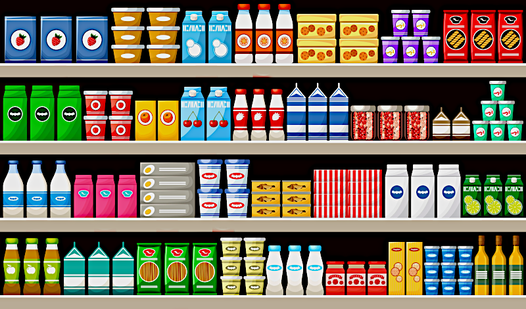
- Shelf management: Drag items to clear space. The limited area forces you to think about which objects to prioritize first.
- Combo frenzy: Chain matches to boost your score. The tempo picks up significantly as you clear more shelves.
- Visual clutter: New item types appear as you progress. It makes identifying matches harder when the shelf is packed.
- Leaderboard rivalries: See how you compare to other players. The post-level table shows exactly where you rank against the competition.
How to Play
Big sorting: Mastering the drag
Use your mouse or touchscreen to move items onto the shelves. Big sorting controls are straightforward, but don't rush. You need to group three identical objects to make them vanish. A common mistake is filling every shelf without a plan; stop and look at your available space before you drag that third item.
How to play Big sorting combos
If you want a high score, pay attention to the combo meter. You have to keep matching items quickly to prevent the timer from hitting zero. Learn how to play Big sorting by watching the shelf layout, as later levels get cramped and messy. The shelf space becomes a total nightmare once the game tosses in weird shapes.
Who Should Play Big sorting?
Frequently Asked Questions about Big sorting
Can I play Big sorting on my phone?
Yes, it works perfectly on mobile devices. You can just tap and drag the objects directly on your screen to keep your shelves organized while on the go.
What are the controls for Big sorting?
The controls are simple click-and-drag or tap-and-slide mechanics. You select an object, move it to a shelf, and release to drop it into a specific spot.
Is Big sorting free to play?
Yes, Big sorting is completely free to play on Nub Games. There are no in-app purchases. No download or registration required.
Can I play Big sorting on mobile?
Big sorting works on both desktop and mobile devices. Best played in portrait mode.
What age rating is Big sorting?
The catalog age rating for Big sorting is 6+.