









Key Features
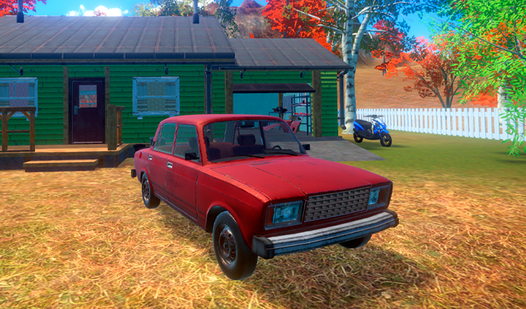
- Persistent mechanical damage: Every collision chips away at your car's integrity. You must scavenge for parts to keep your ride running across the map.
- Survival mechanics: You aren't just a driver. You need to monitor your character's hunger and hydration or your vision starts fading.
- Open-world exploration: The map is huge. Drive anywhere you want to find better loot.
- Drift physics: The handling feels loose and arcade-like. It makes sliding around corners a total blast once you get the hang of it.
How to Play
My Favorite Car: Master the basics
First, learn how to play My Favorite Car by using WASD to move your character. Press E or LMB to grab parts scattered around the world. You need to keep an eye on your food and health bars. Neglect them and you will find yourself walking home.
My Favorite Car controls for driving
The My Favorite Car controls for the vehicle are simple: WASD to steer and F to ignite the engine. Use the Space bar for the handbrake when taking sharp turns. A common mistake is going full throttle on dirt roads. You will spin out and crash into a ditch every time.
Who Should Play My Favorite Car?
Frequently Asked Questions about My Favorite Car
How do you start the engine in My Favorite Car?
Once you are inside the vehicle, simply press the F key to ignite the engine. If nothing happens, make sure you have enough fuel and that your battery isn't completely dead.
Can I play My Favorite Car on my phone?
No, this title is built specifically for desktop browsers. You will need a mouse and keyboard to handle the inventory and vehicle steering effectively.
Is My Favorite Car free to play?
Yes, My Favorite Car is completely free to play on Nub Games. There are no in-app purchases. No download or registration required.
Can I play My Favorite Car on mobile?
My Favorite Car is currently available on desktop only. Best played in landscape mode.
What age rating is My Favorite Car?
The catalog age rating for My Favorite Car is 6+.