















Key Features
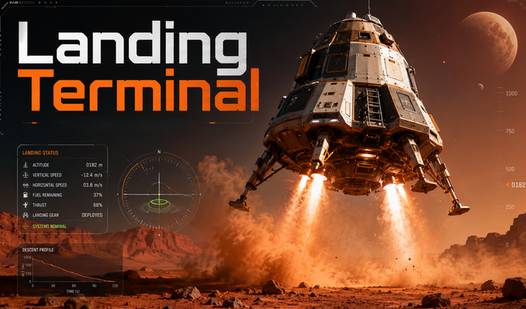
- Flight Simulation: Monitor altitude, fuel, and spacecraft attitude while managing thrust. These variables dictate whether you land safely or drift off course.
- Realistic Mode: Record your flight data and save your progress. It tracks your performance across missions.
- Variable Hazards: Later missions introduce wind, dust, and difficult terrain. These factors force you to adjust your approach strategy.
How to Play
Landing Terminal: How to master the descent
To learn how to play Landing Terminal, focus on your vertical speed and horizontal drift. Use the navball to maintain proper orientation. On PC, press Space or the Up Arrow for full thrust to arrest your fall. If you go too fast, you will crash; slow down early to ensure a soft touchdown.
Landing Terminal controls and gear deployment
Using Landing Terminal controls effectively is vital for success. Press G to deploy landing gear before you touch the surface. On Martian missions, press P to deploy your parachute, but watch the speed range to avoid tearing it. Cut the parachute with O before impact to avoid damaging the module.
Who Should Play Landing Terminal?
Frequently Asked Questions about Landing Terminal
Can I play Landing Terminal on my phone?
Yes, you can play Landing Terminal on mobile devices. Use the left joystick for attitude and the right button for thrust, with on-screen buttons for gear, parachutes, and SAS.
What are the controls for Landing Terminal on PC?
On PC, use the Space bar or Up Arrow for full thrust and Shift for low thrust. Pitch with W and S, roll with A and D, and toggle gear with G.
How do you unlock Mars in Landing Terminal?
You unlock the Mars mission program by successfully completing the lunar program. Each lunar landing requires careful management of your fuel and landing speed to progress.
Is Landing Terminal free to play?
Yes, Landing Terminal is free to play on Nub Games. No download or registration required.
What age rating is Landing Terminal?
The catalog age rating for Landing Terminal is 6+.