











Key Features
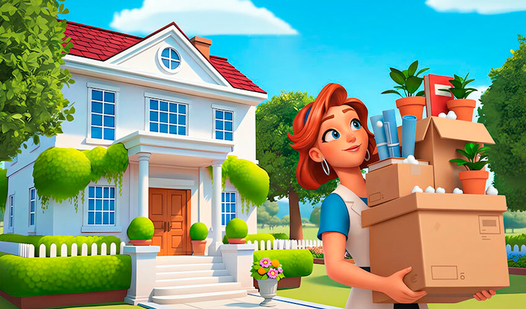
- Room Makeovers: Transform dusty, empty shells into high-end pads. You see the progress bar tick up every time you place a new sofa.
- Puzzle Grinding: Match tiles to fund your decorating habit. The difficulty spikes once you hit the later levels, so plan ahead.
- Cozy Vibes: Relax with chill music while you work. It’s a nice break from high-stress games.
- Design Freedom: Pick your style from various catalogs. You control the aesthetic of every single corner.
How to Play
Mastering Dream Home Design puzzles
Use your mouse or touchscreen to swap tiles. You need to hit those match-3 combos to bank enough coins for furniture. Don't waste moves on random matches. Focus on the bottom of the board to trigger cascades. This is how to play Dream Home Design if you want to actually finish a room.
Styling rooms in Dream Home Design
Once you have the cash, click the furniture icons to swap out the junk. The Dream Home Design controls are simple, but the UI can feel a bit cramped on smaller screens. Everyone makes the mistake of buying the first item they see. Save your coins for the big upgrades later.
Who Should Play Dream Home Design?
Frequently Asked Questions about Dream Home Design
Can I play Dream Home Design on my phone?
Yes, it works on mobile browsers just as well as desktop. You won’t need to install an app to get your design fix on the go.
What are the controls for Dream Home Design?
You just tap or click to swap matching tiles on the board. Everything else is handled by clicking furniture icons once you have enough coins.
Is Dream Home Design free to play?
Yes, Dream Home Design is completely free to play on Nub Games. Optional in-app purchases are available. No download or registration required.
Can I play Dream Home Design on mobile?
Dream Home Design works on both desktop and mobile devices. Best played in landscape mode.
What age rating is Dream Home Design?
The catalog age rating for Dream Home Design is 6+.