

Key Features
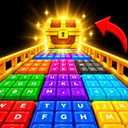
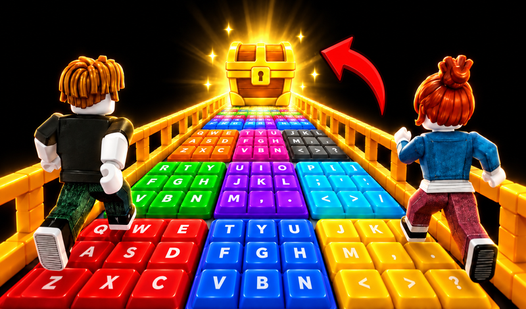
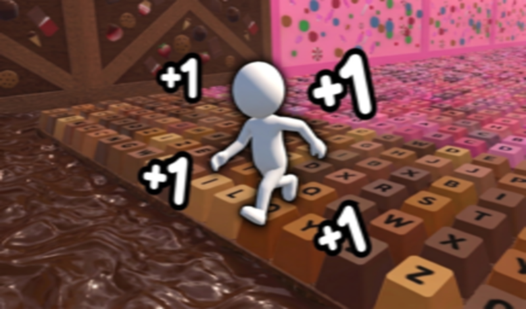
- ASMR Themed Levels: The track consists of unique ASMR keyboard keys.
- Progression: Complete levels to earn in-game currency.
- Customization: Use currency to unlock new pet skins and character trails.
- Leaderboard: Compete against other players to climb to the top of the rankings.
How to Play
Movement
On PC, use WASD to move and Space to jump. On mobile devices, use the left side of the screen to move.
Camera Control
Rotate the camera by using the right mouse button on PC or the right side of the screen on mobile devices.
Selecting Colors
Watch for changing platform colors and step onto the correct color before the platforms disappear.
Racing
React quickly to navigate the track and reach the finish line before your opponents.
Who Should Play Keyboard Color Bridge?
Frequently Asked Questions about Keyboard Color Bridge
How do I win?
Reach the finish line before your opponents by identifying the correct platform colors quickly.
What happens if I pick the wrong color?
If you do not step on the correct color before the platforms disappear, you risk falling.
Can I customize my character?
Yes, you can unlock new pet skins and trails using currency earned by completing levels.
Is Keyboard Color Bridge free to play?
Yes, Keyboard Color Bridge is free to play on Nub Games. Optional in-app purchases are available. No download or registration required.
Can I play Keyboard Color Bridge on mobile?
Keyboard Color Bridge works on both desktop and mobile devices. Best played in landscape mode.
What age rating is Keyboard Color Bridge?
The catalog age rating for Keyboard Color Bridge is 0+.