

















Key Features
- Physics Chaos: Crystals roll and slide exactly where you don't want them. Expect your perfect setup to tumble.
- Competitive VS: Face off against other players in real-time. You win by keeping your field clear while their pile hits the red line.
- Ability Management: Strategic use of Shake and Clear keeps you alive longer. Waste them early and you will regret it.
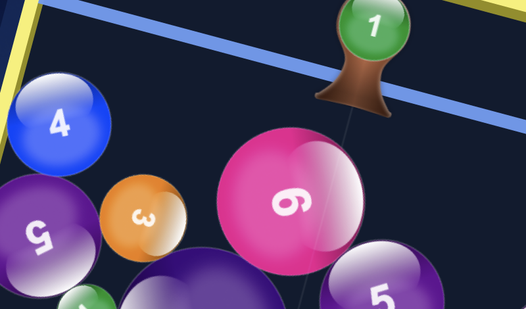
- Visual Feedback: Merging crystals grow larger and change color. The screen gets crowded quickly, making every placement vital.
How to Play
Gemfall: How to drop
Use your mouse or tap the screen to aim your crystal. Gemfall controls are simple, but physics will betray you constantly. Release to drop the crystal into the field. If two matching crystals touch, they pop into a bigger version. Don't crowd the top or you lose.
Mastering Gemfall abilities
Use Shake when crystals get stuck in a weird pile. It bounces them around to create space. Clear removes those tiny, annoying crystals blocking your progress. You get one free use of each, so save them for when your field looks hopeless. That is how to play Gemfall.
Who Should Play Gemfall?
Frequently Asked Questions about Gemfall
Does Gemfall have multiplayer?
Yes, you can jump into VS mode to challenge real people. You compete to see who can maintain their field without hitting the red line for the longest duration.
How do you use abilities in Gemfall?
Tap the ability icons at the bottom of the screen. Your first use is free, but subsequent uses require waiting a few minutes or watching a short ad.
Is Gemfall free to play?
Yes, Gemfall is free to play on Nub Games. No download or registration required.
Can I play Gemfall on mobile?
Gemfall works on both desktop and mobile devices. Best played in portrait mode.
What age rating is Gemfall?
The catalog age rating for Gemfall is 6+.