





Key Features
- Unlimited undo: Mistakes happen when you plan ahead. Use the free undo button to reverse your last move and try a different path.
- Solvable layouts: Every single level is checked by a software solver before reaching you. You will never encounter an impossible board.
- Visual aids: Toggle symbols in the settings menu. This helps if you have trouble distinguishing between the different liquid colours.
How to Play
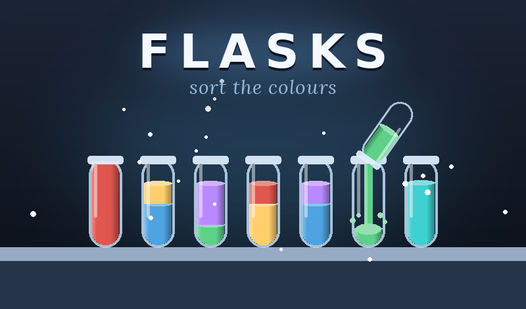
Flasks: sort the colours: pouring basics
Tap a flask to pick it up, then tap another to pour. The top layer slides over if the destination is empty or matches the colour. This is how to play Flasks: sort the colours. Keep an eye on the brim because full flasks cannot accept any more liquid.
Mastering Flasks: sort the colours difficulty
You start with three colours, but the game eventually ramps up to twelve. Once you reach the later stages, space becomes a luxury. Use the flask button to generate an extra empty slot if you hit a deadlock. This resets your options without forcing a full restart of the level.
Who Should Play Flasks: sort the colours?
Frequently Asked Questions about Flasks: sort the colours
Can I play Flasks: sort the colours on my phone?
Yes, the game supports mobile play. It is designed to be controlled with one hand and saves your progress automatically as you go.
What are the controls for Flasks: sort the colours?
Tap the flask you want to pour from, then tap the destination flask. Everything is handled through simple taps on your screen or desktop.
How do I get help in Flasks: sort the colours?
Use the hint button to highlight a valid move if you get stuck. You receive one free hint per level to help keep your momentum going.
Is Flasks: sort the colours free to play?
Yes, Flasks: sort the colours is free to play on Nub Games. No download or registration required.
What age rating is Flasks: sort the colours?
The catalog age rating for Flasks: sort the colours is 0+.