





Key Features
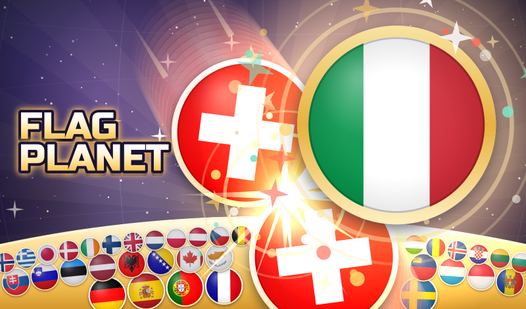
- Two Play Modes: Choose between Planet mode, where gravity pulls flags to the core, or Shooter mode, which features wall bounces.
- Educational Design: Every flag is labeled with its country name to help you learn them during gameplay.
- Dynamic Content: Each game deals a unique set of eleven flags chosen from 197 countries.
- Progress Tracking: The game saves your best score for each mode and keeps an unfinished game available for one day.
How to Play
Planet Mode
Slide your finger or move the mouse around the planet to choose a release point. The flag will fly to that location and settle on the growing layer.
Shooter Mode
Slide left and right to swing the aiming ray, then release to shoot. Use wall bounces to earn a bonus.
Merging Flags
When two identical flags touch, they merge into the next flag in the current chain.
Game Controls
Use the arrow buttons to shake the pile if flags get stuck. With a keyboard, use the left and right arrows to aim and the Space or Enter keys to drop.
Who Should Play Flag Planet?
Frequently Asked Questions about Flag Planet
How do I switch between game modes?
You can switch between Planet and Shooter modes using the menu located in the top right corner.
What happens if the flags get stuck?
You can use the arrow buttons under the field to shake the pile. You are limited to three shakes per game.
When does the game end?
The game ends if a flag remains outside the danger ring for longer than the provided countdown.
Is Flag Planet free to play?
Yes, Flag Planet is free to play on Nub Games. No download or registration required.
Can I play Flag Planet on mobile?
Flag Planet works on both desktop and mobile devices.
What age rating is Flag Planet?
The catalog age rating for Flag Planet is 0+.