




Key Features
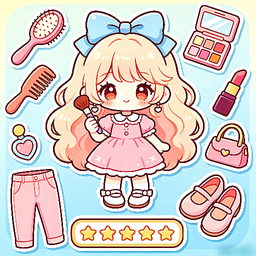
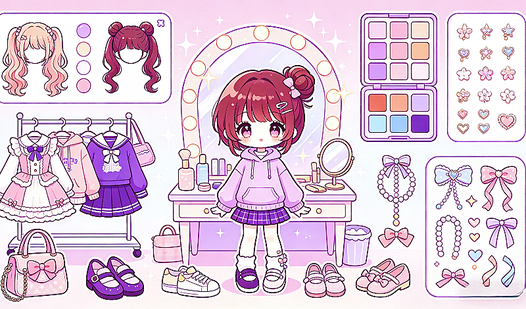
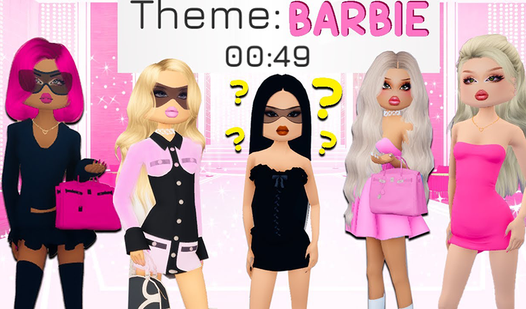
- Deep customization: Every piece of clothing has a color slider. You can tweak the hue until it matches your exact aesthetic vision.
- Photo editor: Layer stickers and frames over your finished model. It adds a personal touch that makes every snapshot look different.
- Instant preview: Changes apply to your character immediately. You don't have to wait for menus to load.
- Minimal UI: The menus stay out of your way. You get a clear view of the model at all times.
How to Play
Mastering the Dazzle Me interface
Understanding how to play Dazzle Me starts by clicking through the wardrobe tabs. Use your mouse or tap the screen to swap outfits, hair, and accessories. The Dazzle Me controls are simple, but don't rush through the selections. You might accidentally overwrite your favorite look if you aren't paying attention.
Capturing your Dazzle Me style
Once the fit is locked in, move to the photo mode to add stickers and frames. This is where the creative side takes over. Don't crowd the screen with too many decorations, or you'll hide the outfit you worked so hard to put together. It is a common mistake that ruins the final shot.
Who Should Play Dazzle Me?
Frequently Asked Questions about Dazzle Me
Can I play Dazzle Me on my phone?
Yes, it works perfectly on mobile devices. You just open the browser and start styling your character wherever you are.
How do you save your look in Dazzle Me?
You capture your final design using the built-in photo frame feature. It saves your layout once you finish decorating the frame.
Is Dazzle Me free to play?
Yes, Dazzle Me is completely free to play on Nub Games. There are no in-app purchases. No download or registration required.
Can I play Dazzle Me on mobile?
Dazzle Me works on both desktop and mobile devices. Best played in portrait mode.
What age rating is Dazzle Me?
The catalog age rating for Dazzle Me is 12+.