
















Key Features
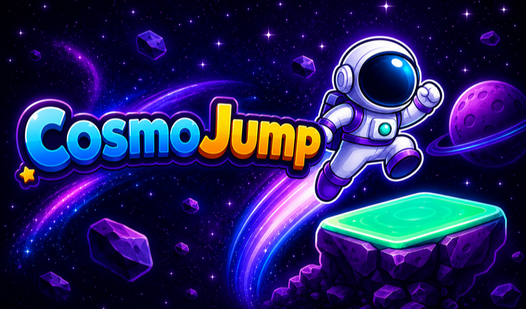
- Five Unique Worlds: The background changes as you progress. You will see glowing nebulae, ringed planets, star clusters, and gas giants.
- Automatic Record Saving: Your best result is saved automatically. You can always track your progress in points and altitude.
- One Life Revive: You get a second chance once per run. Respawn on a safe platform to keep your streak alive.
How to Play
Steering in CosmoJump
Your astronaut jumps automatically whenever he touches a platform. You must steer him left or right to land on the next neon ledge. To master how to play CosmoJump, keep your eyes on the next height level. If you miss a platform, your run ends immediately.
CosmoJump controls and movement
On mobile, tap the left or right half of the screen to guide the hero. For PC, use the arrow keys or A and D to move. These CosmoJump controls are simple, but the speed increases as you climb higher. Stay sharp to keep your astronaut moving upward.
Saving your CosmoJump run
You can use the Continue button on the result screen once per run. This revives you on a safe platform after a short ad. It is a second chance to push for a higher record. Use this opportunity wisely when you are far into a tough climb.
Who Should Play CosmoJump?
Frequently Asked Questions about CosmoJump
Can I play CosmoJump on my phone?
Yes, you can play on mobile devices. Simply tap the left or right half of the screen to steer your astronaut.
What are the controls for CosmoJump on PC?
Use the arrow keys or the A and D keys to move left and right. Press P or Escape if you need to pause.
How do I revive in CosmoJump?
You can use the Continue button on the result screen once per run. This action revives you on a safe platform after a short ad.
Is CosmoJump free to play?
Yes, CosmoJump is free to play on Nub Games. Optional in-app purchases are available. No download or registration required.
What age rating is CosmoJump?
The catalog age rating for CosmoJump is 6+.