









Key Features
- Logic layering: Build sequences that grow from basic steps into complex procedures. Your brain will melt trying to track loops within loops.
- Spatial puzzles: Height changes and portals force you to rethink your movement commands. One wrong turn lands you in a pit.
- Efficiency scoring: The game tracks how many blocks you use. Perfectionists will spend hours shaving off a single command.
- Visual debugging: Watching the bot execute your code step by step shows exactly where you messed up. It is brutal.
How to Play
CodeBot: Master the basics
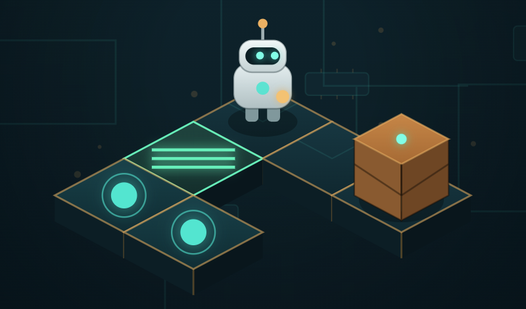
Use your mouse to drag command blocks onto the workspace. Tap run to see if your bot follows the sequence. You need to hit every target cell to clear a stage. Learning how to play CodeBot starts with basic movement, but don't get too comfortable yet.
CodeBot controls and logic
Your CodeBot controls are simple clicks, but the real test is efficiency. A common mistake is using too many individual steps instead of nested loops. Think about the path. If you see a button, you must program the robot to hit it before grabbing the goal.
CodeBot: Prepare for the grind
Later stages force you to use recursion and complex if-else conditions. The screen gets crowded with logic lines. You will eventually hit a wall where your code looks perfect but the bot still fails. Keep tinkering. That breakthrough moment is the only reason to keep going.
Who Should Play CodeBot?
Frequently Asked Questions about CodeBot
How many levels does CodeBot have?
There are 50 levels split across 16 distinct chapters. You start with simple tasks and move into advanced programming concepts like recursion.
Can I play CodeBot on my phone?
Yes, it runs in your mobile browser without any extra setup. The touch interface works well for dragging blocks, though small screens can feel cramped.
Is CodeBot free to play?
Yes, CodeBot is free to play on Nub Games. No download or registration required.
What age rating is CodeBot?
The catalog age rating for CodeBot is 0+.