











Key Features
- Grid logic: Every move shifts everything in that row or column. You have to anticipate the chain reaction or you will trap yourself.
- Geometry spikes: Later levels introduce weird, asymmetrical shapes that feel like a math test. It gets genuinely annoying when you are one square off.
- Clean aesthetic: The visuals keep the clutter down so you can actually focus on the board. It lets you see the paths clearly.
- Brain burn: Forty-five levels of pure brain training that force you to visualize the board three moves ahead.
How to Play
Mastering Swipe cube movement
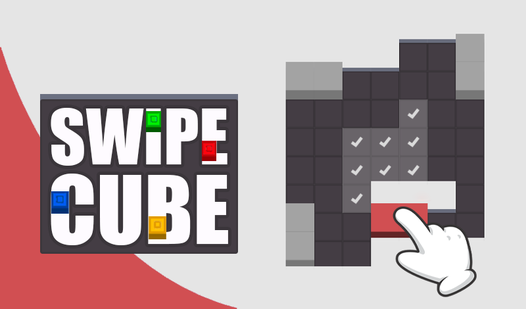
You slide cubes using your mouse or finger to move them across the grid. The Swipe cube controls are simple, but you will mess up if you move too fast. Always check where the target dark squares are before you commit to a long slide. It is easy to miscalculate your final position.
How to play Swipe cube effectively
To learn how to play Swipe cube, focus on pinning one block against another to build your shape. Think of it like a sliding tile puzzle that has teeth. Don't push a cube into a corner unless you have a clear plan to get it back out. Patience beats speed every single time.
Who Should Play Swipe cube?
Frequently Asked Questions about Swipe cube
How many levels does Swipe cube have?
The game features 45 levels that ramp up from basic shapes to nightmare-inducing geometric patterns. You will have to clear each one to see what the developers hid at the finish line.
Can I play Swipe cube on my phone?
Yes, it works on mobile browsers just as well as desktop. The swiping mechanic actually feels more natural on a touchscreen than it does with a mouse.
Is Swipe cube free to play?
Yes, Swipe cube is completely free to play on Nub Games. There are no in-app purchases. No download or registration required.
Can I play Swipe cube on mobile?
Swipe cube works on both desktop and mobile devices. Best played in portrait mode.
What age rating is Swipe cube?
The catalog age rating for Swipe cube is 0+.