














Key Features
- Automated Income: Programs run around the clock to generate bytes. Your rig continues to produce income even while you are away.
- Arcade Mini-games: Six distinct games provide bonus bytes. Each one offers a different way to earn currency for your system.
- System Events: Periodic system updates and viruses appear on your desktop. Removing these threats grants you an immediate reward.
- Living Desktop: Manage your files with drag and drop folders. You can also use the notepad, paint, and calculator applications.
How to Play
ClickOS 11: How to generate bytes
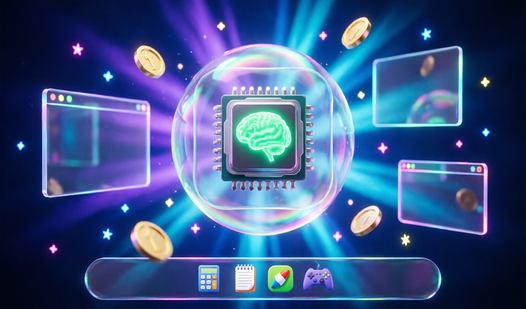
To learn how to play ClickOS 11, start by tapping the CPU on your desktop. Every tap adds bytes to your total. These bytes function as your currency for purchasing programs and upgrades that automate your income.
Boost your ClickOS 11 earnings
Purchase auto-clickers and neural networks to keep your income growing while you are offline. If you want to multiply your gains, watch rewarded ads. This doubles your byte accumulation rate so you can afford better hardware faster.
Master the ClickOS 11 Arcade
When you get bored of the main desktop, open the Arcade to find six mini-games. Playing snake, flying floppy, pong, breakout, pairs, or the reaction test grants you bonus bytes. Use these to speed up your progression toward a quantum computer.
Who Should Play ClickOS 11?
Frequently Asked Questions about ClickOS 11
Can I play ClickOS 11 on my phone?
Yes, ClickOS 11 supports mobile devices alongside desktop computers. You can access the game through your mobile browser without installing any applications.
How do I remove viruses in ClickOS 11?
Viruses appear as system events on your desktop interface. You can remove them manually to earn a reward for your byte count.
Is ClickOS 11 free to play?
Yes, ClickOS 11 is free to play on Nub Games. No download or registration required.
What age rating is ClickOS 11?
The catalog age rating for ClickOS 11 is 0+.