

















Key Features
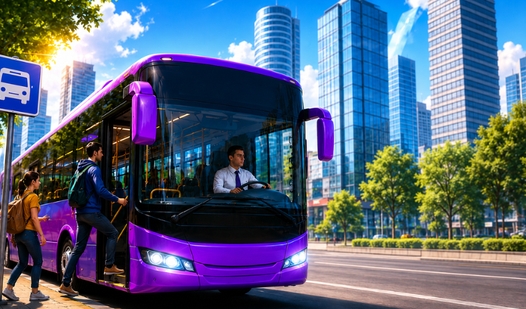
- Passenger Missions: Pick up passengers at designated bus stops. You must deliver them to their targets to finish your assignment.
- Free Mode: Drive around the open city without any time constraints. Enjoy the realistic physics while you explore.
- Bus Signals: Use turn signals to navigate traffic safely. This helps you communicate your intentions to other vehicles on the road.
How to Play
City Transport Simulator: Mastering the Route
To learn how to play City Transport Simulator, focus on the mission mode. You need to stop at bus stops to pick up passengers and drop them off at their specific destinations. Follow the route shown to reach your goal. Driving safely ensures you complete the job without missing your stops.
Using City Transport Simulator controls
On desktop, use WASD to drive the bus. Press the 1 or 2 keys to activate your turn signals before you merge into traffic. Use the space bar to engage the handbrake when you arrive at a busy station. Mobile users can choose between on-screen buttons or a virtual steering wheel.
Who Should Play City Transport Simulator?
Frequently Asked Questions about City Transport Simulator
Can I play City Transport Simulator on my phone?
Yes, this game is supported on mobile devices. You can choose to drive using on-screen buttons or a virtual steering wheel interface.
What are the controls for City Transport Simulator?
On PC, use WASD to drive, 1 or 2 for signals, and space for the handbrake. Mobile players use either on-screen buttons or a steering wheel to drive.
Is City Transport Simulator free to play?
Yes, City Transport Simulator is free to play on Nub Games. No download or registration required.
What age rating is City Transport Simulator?
The catalog age rating for City Transport Simulator is 6+.