










Key Features
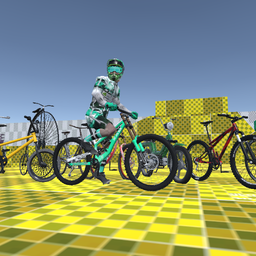
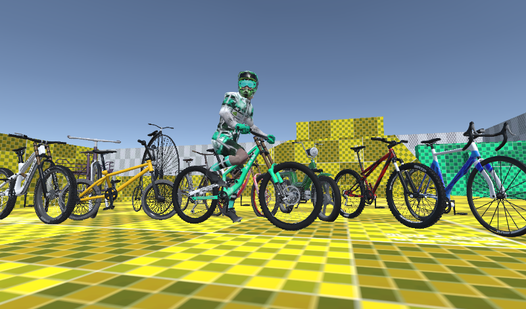
- Weighty Physics: The bike actually feels heavy when you hit the ground. You have to account for gravity on every single descent.
- Ramp Variety: Some jumps are wide and forgiving, while others are narrow death traps. You will need to adjust your speed constantly.
- Air Control: You can tilt your bike while flying. This helps you line up your landing, but over-correcting will send you spinning.
- High Speed: The camera pulls back as you accelerate. It makes the world look like a blur when you hit top speed.
How to Play
Mastering Bicycle Simulator Pro controls
Use the WASD keys or arrows to steer your frame. Balance is the secret here. You need to pull back on the stick right before a jump to get maximum air. Bicycle Simulator Pro controls feel a bit heavy, so don't expect to flick the bike around like a toy.
How to play Bicycle Simulator Pro efficiently
Speed is your best friend when hitting those massive gaps. If you go too slow, you will end up face-planting into the side of a ramp. Most people fail because they try to turn while mid-air, which just ruins your momentum. Keep your wheels straight until you land.
Who Should Play Bicycle Simulator Pro?
Frequently Asked Questions about Bicycle Simulator Pro
Can I play Bicycle Simulator Pro on my phone?
This version is built for desktop browsers only. You will need a keyboard to handle the physics and speed adjustments properly.
What are the common controls for Bicycle Simulator Pro?
You use WASD or the arrow keys to pedal and steer. Press the spacebar whenever you need to bunny-hop over a tricky gap.
Is Bicycle Simulator Pro free to play?
Yes, Bicycle Simulator Pro is completely free to play on Nub Games. There are no in-app purchases. No download or registration required.
Can I play Bicycle Simulator Pro on mobile?
Bicycle Simulator Pro is currently available on desktop only. Best played in landscape mode.
What age rating is Bicycle Simulator Pro?
The catalog age rating for Bicycle Simulator Pro is 0+.