
Raccoon Rascal and Grandpa Walkthrough

To complete Raccoon Rascal and Grandpa, explore the house, find objects marked with a blue outline, perform a prank, and immediately change position before Grandpa catches the raccoon. The essential strategy is simple: inspect the room and choose an escape route first, interact with the object second, then hide or move into another room before looking for the next objective.
How do you complete Raccoon Rascal and Grandpa?
The walkthrough is built around exploring the house, interacting with available objects, and safely escaping Grandpa after every prank.
This is a first-person 3D game, so visibility is part of the challenge. You can miss an important object if you only look straight ahead. Check corners, both sides of the room, furniture surfaces, and objects that can be approached from another direction. Interactive items have a blue outline, although the highlight may only become visible from the correct distance or viewing angle.
Do not start by breaking everything you see. First decide where you will run after the action. Find a doorway, passage, hiding place, or adjacent room, point the camera in that direction, and only then activate the object. This routine saves more time than trying to find an exit after Grandpa appears.
The objective of a scene is usually communicated through the environment and the characters' reactions. If an action does not advance the game, inspect nearby objects again. Some pranks form a sequence in which one interaction creates an opportunity for another. It is also useful to watch from a safe distance after a major event. Grandpa, the cat, or the Chihuahua may reveal what changed and where you should go next.
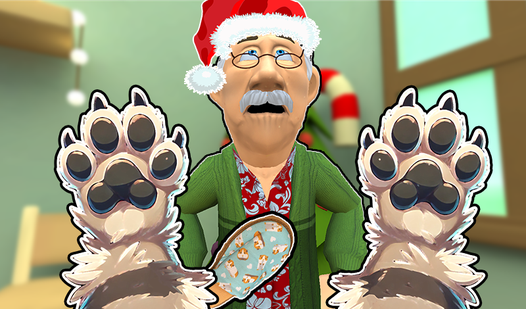
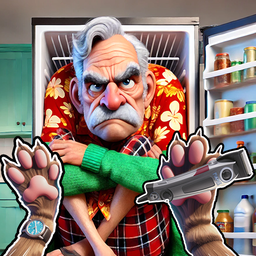
How do you play step by step?
The safest way to play is to repeat a short cycle of scouting, acting, escaping, and checking the result.
- Inspect the room and remember its exits. Turn the camera in every direction, walk along the walls, and identify a route into the next area so you will not have to search for it during a chase.
- Find an object with a blue outline. Approach furniture and other objects from multiple sides to reveal available interactions that might be hidden by the first-person viewing angle.
- Check Grandpa's position. Before making noise, make sure there is some distance, an open passage, or a safe area between the raccoon and the pursuer.
- Face your escape route. Position the camera so you can start moving immediately after the interaction without wasting time finding the door or turning around furniture.
- Activate the object and move at once. Use the action control, take one quick look at the result, and leave the dangerous spot before Grandpa gets close.
- Change rooms or find cover. Break direct contact with the pursuer instead of running in circles beside the prank. Tight spaces make it easier to collide with furniture and lose momentum.
- Watch the reaction from a distance. Once the immediate danger has passed, see whether the action affected Grandpa, the cat, the Chihuahua, or the environment. Their response can explain the current objective.
- Resume searching after the situation settles. Do not study object highlights while being chased. Regain control of the camera and the raccoon's position before exploring again.
- Use the hint after checking the area yourself. If several careful searches reveal nothing, call the raccoon hint and apply it to the current situation instead of using it automatically in every room.
- Repeat the cycle until the scene is complete. Progress becomes faster when every interaction has a purpose and a prepared escape route.
On a computer, use WASD to move, Space to jump, E to interact, P to pause, and Q to call the raccoon hint. On mobile, move with the virtual stick, drag a finger across the screen to rotate the camera, and use the separate jump and action buttons. If the desktop controls do not respond, switch the keyboard layout to English and click inside the game window.
How do you avoid getting caught by Grandpa after a prank?
Prepare your route before acting, avoid cramped dead ends, and end a direct chase by moving into another part of the house.
A common mistake is to interact with an item, stay to watch the result, and only start turning the camera when Grandpa is already approaching. Fix this before pressing E. Step away from the furniture, point the raccoon toward an open passage, and leave enough space to accelerate. Begin moving as soon as the action happens, even if Grandpa is not yet visible.
Jumping helps you cross obstacles and maintain momentum, but it cannot replace a sensible route. Repeated jumps inside a narrow room make the camera harder to control and increase the chance of hitting the scenery. Run normally through open areas and save the jump for an actual obstruction.
If a chase has already begun, stop searching for interactive items. Look forward, keep away from furniture corners, and use passages you have already explored. Once you have restored the distance, stop in a safe place, turn the camera calmly, and decide where to return.
How do you find the required objects and continue the walkthrough?
A systematic room search is more reliable than pressing the action control randomly beside every wall.
Start at the entrance and move around the perimeter. Check objects from left to right, then inspect the middle of the room. This method prevents you from examining the same corner repeatedly while forgetting another one. The blue outline is your main clue, so vary your distance from a suspicious object and slowly adjust the camera.
Do not look only for small items. The interactive area may belong to a large object or a piece of furniture that requires a close approach. If an outline appears but the action does not work, step back, change your angle, and aim the center of the screen more accurately. Repeated button presses rarely help when the real problem is the raccoon's position.
Inspect the room again after every successful prank. The scene may have changed, and an object that previously had no use may now be part of the next interaction. Watch the other characters as well. A new character position can open a path or make an old escape route more dangerous.
How should you use the raccoon hint?
Use the hint after fully searching the current area so it can clarify your direction instead of replacing your understanding of the mechanics.
On a computer, press Q to call the hint. Before using it, stop somewhere safe and identify the exact problem: perhaps you cannot find an active object, do not understand the action order, or cannot reach the target because Grandpa is nearby. Then compare the hint with the objects around you.
If the hint points to a familiar area, return and inspect it from another angle. You may already have seen the correct object but approached it from the wrong side. Avoid calling the hint during a chase because movement will occupy your attention and make the information easy to miss.
What should you do when the game will not progress?
Check for unfinished interactions, correct the raccoon's position, and review the result of the latest event before restarting the scene for a genuine technical problem.
First, return to the most recent room where something visibly changed. Inspect all highlighted objects, allow every character reaction to finish, and check the neighboring areas. An action may appear not to have registered when the game is simply waiting for the next part of a sequence.
Make sure you are close enough to the object and looking directly at its active section. On mobile, a finger movement can shift the camera while you are trying to interact, so release the virtual stick, aim carefully, and then press the action button. On a computer, confirm that the keyboard layout is English and that the game window has input focus.
Treat restarting as a last resort. It makes sense if the raccoon is stuck in the scenery, the controls no longer respond, or an important object has clearly become unreachable. If the game otherwise works, another careful search and a hint are usually more useful than returning to the beginning.
Which mistakes cause the most trouble?
Most failed attempts come from rushing, using a poor camera angle, or trying to explore while Grandpa is chasing the raccoon.
The first mistake is breaking the first available item without an escape plan. Players trap the raccoon in a corner even though they could have left a passage open. The second mistake involves the camera. Looking only at the center of the screen makes it easy to miss an outline beside the character or near a large piece of furniture.
The third mistake is repeating the same interaction. Once a prank has triggered a reaction, search for the resulting change instead of pressing the same object again. The fourth is relying too heavily on hints. A hint can provide a direction, but it cannot move the raccoon or prepare a safe route.
Finally, do not treat every chase as a failure. A pursuit is often a normal part of the scene. Keeping your bearings, leaving the dangerous area, and returning to the objective matters more than performing every prank perfectly on the first attempt.
Which strategies do I use for a faster walkthrough?
I save time by preparing an escape route, searching each room in a fixed order, and briefly checking the result of every action.
- I always point the camera toward the exit before pressing the action control. This removes an unnecessary turn and often prevents the raccoon from getting trapped in a cramped room.
- I search in one consistent order: entrance, left wall, far side, right wall, and center. This makes blue outlines harder to miss and prevents me from repeatedly checking areas I have already cleared.
- I never remain beside a broken or activated object. I immediately move into the next area and watch Grandpa's reaction from a distance. Staying to satisfy your curiosity often starts an avoidable chase.
- I press Q only after two calm searches. If the hint sends me back to a familiar location, I change the viewing height, distance, and approach direction instead of pressing E without a plan.
This method is more dependable than memorizing one supposedly perfect route. Character positions may change after a failed escape, but the cycle of scouting, choosing an exit, acting, hiding, and checking the result works in every room.


FAQ
What is the objective in Raccoon Rascal and Grandpa?
Explore the house, interact with objects, perform pranks, frame the other pets, and avoid being punished by Grandpa.
Which controls are used on a computer?
WASD controls movement, Space jumps, E interacts, P pauses the game, and Q calls the raccoon hint.
How can you recognize an interactive object?
Available objects have a blue outline. If no highlight appears, change your distance, camera angle, and direction of approach.
What should you do when Grandpa starts chasing you?
Stop searching for objects, follow a previously identified open route, leave the cramped area, and resume exploring after restoring a safe distance.