

















Key Features
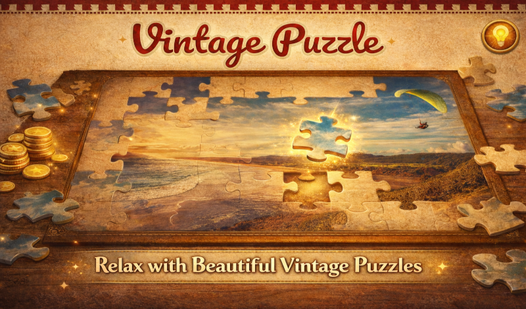
- Retro Aesthetic: The art style pulls from mid-century postcards. It makes you feel like you are digging through an attic.
- Dual Modes: Switch between Grid and Block styles. One is for speed, the other is for precision.
- Progression Loop: Collect coins as you finish boards. Use them to unlock more complex images.
- Hint System: Stuck on a corner? Use a hint to snap a piece into place.
How to Play
Vintage Puzzle: Mastering the layout
Use your mouse or tap the screen to drag pieces into their proper slots. You need to decide early if you prefer Grid Mode or Block Mode. Grid Mode forces you to place pieces in exact coordinates, which is honestly a bit clunky until you get the hang of the Vintage Puzzle controls.
How to play Vintage Puzzle effectively
Look for the straight edges first to frame your workspace. Zooming in helps when the pieces get tiny, but watch out for the common mistake of ignoring the color palette. If you rush, you will just end up with a board full of mismatched corners.
Vintage Puzzle: Scaling the difficulty
Once you clear the early boards, the game stops holding your hand. The final levels have so many pieces that the screen becomes a cluttered nightmare. Keep your eyes peeled for the hint button if you get stuck on a tricky sky segment.
Who Should Play Vintage Puzzle?
Frequently Asked Questions about Vintage Puzzle
Can I play Vintage Puzzle on my phone?
Yes, it works perfectly on mobile browsers. You just tap and drag to move your pieces around the screen.
How do you use hints in Vintage Puzzle?
Click the lightbulb icon whenever you feel completely lost. It will automatically place a difficult piece for you, but save them for when you are truly desperate.
Is Vintage Puzzle free to play?
Yes, Vintage Puzzle is free to play on Nub Games. Optional in-app purchases are available. No download or registration required.
What age rating is Vintage Puzzle?
The catalog age rating for Vintage Puzzle is 6+.