

















Key Features
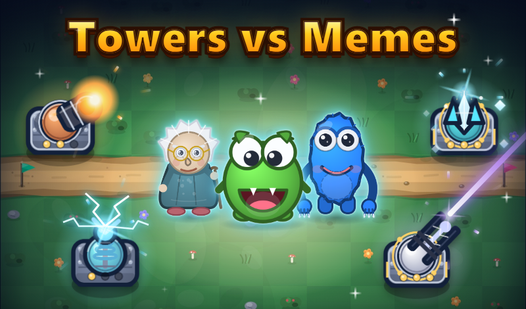
- Twelve specialized cannon types: Defenses feature distinct abilities including poison, splash damage, slow effects, chain lightning, multi-target volleys, and beams.
- Multiple play modes: Battle through 10 handcrafted levels or aim for top scores in endless mode.
- Crate unlocking system: Collect rare, mythic, and legendary crates to expand your squad with new cannons.
- In-game Meme Book: Consult the Meme Book to review each monster's characteristics.
How to Play
Place towers and manage waves on desktop
Select a cannon at the bottom with the mouse or keys 1 - 4, then click a green tile to deploy it. Click an existing tower to repair, sell, or upgrade it. Press Space to send the wave, F to toggle between x1, x2, and x5 speeds, and Esc to pause.
Deploy defenses and start combat on mobile
Tap a cannon in the right column (or at the bottom of a tablet display) and tap a green tile to position it. Tap an existing tower to access its upgrade menu, and press the Fight! button to trigger the wave.
Cover turns and upgrade cannons
Place cannons where their attack radiuses cover road bends to maximize damage against approaching enemies. Spend earned coins to upgrade each tower up to level 3 and repair damaged structures before your base runs out of lives.
Frequently Asked Questions about Towers vs Memes
How high can towers be upgraded?
Every placed cannon can be upgraded up to level 3.
What happens when monsters reach the exit?
Each monster that reaches the exit costs lives, and losing all of them triggers a game over.
How do you speed up desktop gameplay?
Press F on your keyboard to switch between x1, x2, and x5 game speeds.
Is Towers vs Memes free to play?
Yes, Towers vs Memes is free to play on Nub Games. No download or registration required.
Can I play Towers vs Memes on mobile?
Towers vs Memes works on both desktop and mobile devices. Best played in landscape mode.
What age rating is Towers vs Memes?
The catalog age rating for Towers vs Memes is 6+.