



Key Features
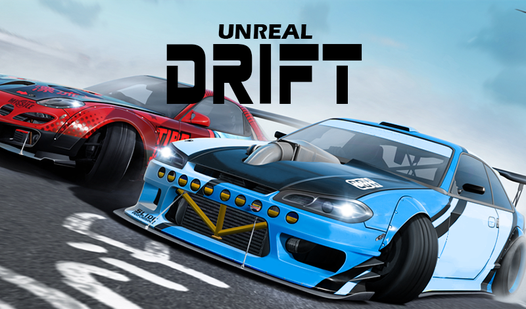
- Realistic drift physics: The engine calculates speed and steering input to replicate real road handling. You must manage your throttle carefully to stay on the track.
- Extensive car tuning: Modify your suspension or install new engines to alter your performance. Different upgrades help you handle specific tracks and drifting styles.
- Open city maps: Drive freely across vast urban landscapes filled with colorful skyscrapers.
How to Play
Mastering Unreal Drift controls
Use the WASD keys to guide your vehicle through narrow urban turns. You need to balance your speed and steering angle to prevent a spin out. Learning how to play Unreal Drift properly involves using the Space bar for the handbrake to initiate sharp drifts around corners.
Unreal Drift: Gearbox and camera shifts
Press the C key to toggle your camera view for a better perspective on the track. If you feel the car struggling to maintain momentum on steep inclines, use the R key to change your gearbox. This shift is vital for keeping your speed stable during intense racing.
Who Should Play Unreal Drift?
Frequently Asked Questions about Unreal Drift
Can I play Unreal Drift on my phone?
Yes, this game is fully supported on mobile devices. You can use on-screen tapping to control your car just as you would with a keyboard.
What are the controls for Unreal Drift?
The Unreal Drift controls rely on WASD to steer, Space for the handbrake, C to switch camera angles, and R to change your car gearbox.
Is Unreal Drift free to play?
Yes, Unreal Drift is completely free to play on Nub Games. There are no in-app purchases. No download or registration required.
Can I play Unreal Drift on mobile?
Unreal Drift works on both desktop and mobile devices. Best played in landscape mode.
What age rating is Unreal Drift?
The catalog age rating for Unreal Drift is 12+.