

Key Features
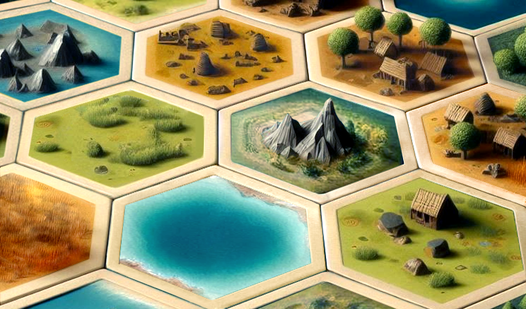
- Tactical tile synergy: Matching neighbor types creates powerful chains. A single bad placement can tank your entire score multiplier.
- Geometric bonus zones: Surround a tile on all sides to unlock massive points. It forces you to plan your grid expansion carefully.
- Procedural land growth: No two runs are identical. You have to adapt your strategy to the specific pieces you draw.
- Relaxing audio landscape: The soundtrack keeps you calm while you stress over your move count.
How to Play
Mastering Tiny World placement
Use your mouse to drop tiles onto the grid. You need to align matching types to boost your score, but putting different ones side-by-side weakens your setup. Learn how to play Tiny World by watching how tiles react to their neighbors. Don't waste your limited moves early on.
Tiny World controls and camera
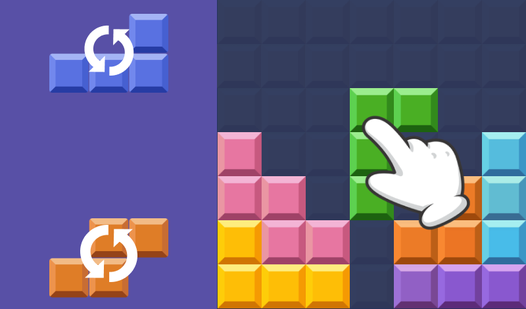
The Tiny World controls rely on your mouse and keyboard. Use the scroll wheel or Space to spin your pieces before you lock them in. Hold the right mouse button to tilt your view so you can see behind your structures. If you find the camera angles annoying, just tap H to reset.
Who Should Play Tiny World?
Frequently Asked Questions about Tiny World
How do you rotate tiles in Tiny World?
You can rotate your current piece using the mouse wheel, the Space bar, or the F key. Just make sure you align the edges correctly before you commit to the placement.
What games are similar to Tiny World?
If you enjoy this, check out Game Builder Bloks for more creative building or Obby: IQ Escape from the Laboratory for different logical challenges.
Is Tiny World free to play?
Yes, Tiny World is free to play on Nub Games. Optional in-app purchases are available. No download or registration required.
Can I play Tiny World on mobile?
Tiny World is currently available on desktop only. Best played in landscape mode.
What age rating is Tiny World?
The catalog age rating for Tiny World is 0+.