






Key Features
- Wildlife drivers: Every vehicle gets a random passenger like an elephant or hedgehog. Their reactions make the test drive feel worth the effort.
- Part snapping: Parts lock into place with a satisfying click. It helps you learn which piece goes where without constant frustration.
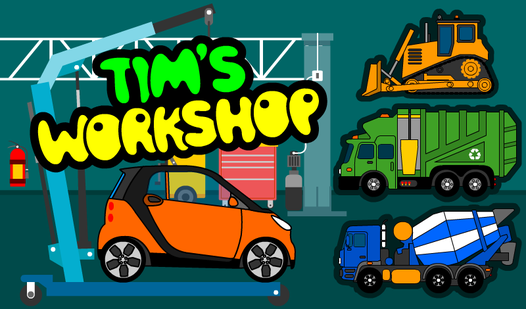
- Vehicle variety: You have seventeen machines to finish. Some, like the concrete mixer, have way more segments than the basic passenger cars.
- Reset button: You can wipe the whole workshop clean if you get bored. It lets you start the entire collection over from scratch.
How to Play
Mastering Tim's Workshop assembly
To play, click and drag parts from the bin onto the vehicle outline. Tim's Workshop controls rely entirely on your mouse or touchscreen, so you just need to tap and hold. Watch the edges of the parts closely. If they don't glow, you aren't in the right spot.
Taking your Tim's Workshop creation for a spin
Once you finish the build, the game triggers a test drive. You get to see if a lion or a kitten is behind the wheel. Don't worry if the test drive feels a bit short. It is just a quick victory lap before you move on to the next puzzle.
Who Should Play Tim's Workshop?
Frequently Asked Questions about Tim's Workshop
Can I play Tim's Workshop on my phone?
Yes, you can run the game on any mobile device through your browser. The touch controls work just like a mouse, so you won't lose any functionality.
How many levels does Tim's Workshop have?
There are 17 different vehicles to assemble. You have to finish every single one to complete the entire car park collection.
Is Tim's Workshop free to play?
Yes, Tim's Workshop is completely free to play on Nub Games. There are no in-app purchases. No download or registration required.
Can I play Tim's Workshop on mobile?
Tim's Workshop works on both desktop and mobile devices. Best played in landscape mode.
What age rating is Tim's Workshop?
The catalog age rating for Tim's Workshop is 0+.