








Key Features
- Variable Grid Sizes: Switch from tiny 8x8 canvases to massive 256x256 layouts. Your detail level changes based on the size you pick.
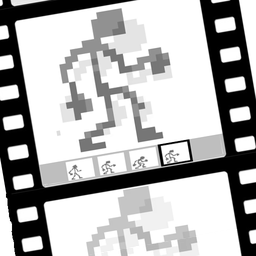
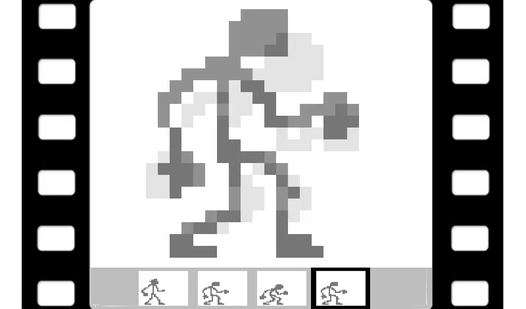
- Onion Skinning: Ghosts of your last frame show up while you draw. It makes lining up movement much less of a headache.
- Smooth Frame Rates: Adjust your animation speed from 2 to 16 frames per second. Too high and your art becomes a blur.
- GIF Export: Save your creation to your desktop as a real animated file. You can even scale the pixels up.
How to Play
Mastering Pixel Animator: creating GIF animation basics
Tap a color from the palette and start clicking your mouse to fill individual pixels. Pixel Animator: creating GIF animation controls are straightforward, but don't try to draw a masterpiece on the 8x8 setting. Start small to learn how to play Pixel Animator: creating GIF animation without getting overwhelmed by the grid.
Why Pixel Animator: creating GIF animation needs layers
Use the onion skin feature to see where your previous frame went. It keeps your character from vibrating too much between frames. Copy and paste your work to save time, but watch out. The undo limit is only 20 steps, and you will definitely mess up spectacularly if you lose track of your progress.
Who Should Play Pixel Animator: creating GIF animation?
Frequently Asked Questions about Pixel Animator: creating GIF animation
How do you save your work in Pixel Animator: creating GIF animation?
You just hit the save button to export your project as a GIF file. It downloads directly to your device for free once you finish your animation.
Can I play Pixel Animator: creating GIF animation on my phone?
Yes, it works on mobile browsers, though drawing on a tiny touch screen can get a bit fiddly. A desktop mouse provides much better control for painting.
Is Pixel Animator: creating GIF animation free to play?
Yes, Pixel Animator: creating GIF animation is completely free to play on Nub Games. There are no in-app purchases. No download or registration required.
Can I play Pixel Animator: creating GIF animation on mobile?
Pixel Animator: creating GIF animation works on both desktop and mobile devices. Best played in landscape mode.
What age rating is Pixel Animator: creating GIF animation?
The catalog age rating for Pixel Animator: creating GIF animation is 0+.