















Key Features
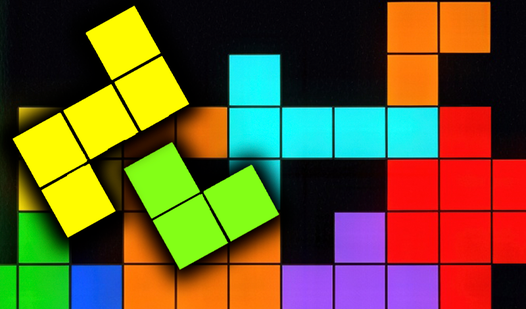
- Graphite visuals: The deep, dark color scheme reduces glare. You can play for hours without your eyes feeling like sandpaper.
- Adaptive layout: Rotate your phone to portrait or landscape. The interface shifts automatically so your thumbs always reach the buttons.
- Global leaderboards: Every cleared line adds to your score. Post your best run to prove you own the high-score list.
- Neon feedback: Blocks glow when they land. It makes every successful line clear look like a tiny firework display.
How to Play
Tetra Dark: Mastering the basics
Use the arrow keys or tap the sides of your screen to move and rotate blocks. You need to fit them into gaps to clear lines. The Tetra Dark controls feel a bit slippery when you’re moving fast, so don't tap too aggressively or you'll misplace a piece.
Tetra Dark: How to survive longer
The secret to how to play Tetra Dark is keeping your stack flat. A common mistake is building tall, narrow towers that leave you desperate for a specific piece. If you let the blocks hit the top, it’s game over. Keep it low and stay calm.
Who Should Play Tetra Dark?
Frequently Asked Questions about Tetra Dark
Can I play Tetra Dark on my phone?
Yes, it works on any mobile browser. Just flip your phone sideways or keep it upright, and the game adapts its layout to your screen perfectly.
What are the controls for Tetra Dark?
You use the arrow keys on a desktop or simple taps on your phone screen. The movement is sensitive, so take your time lining up those corners.
Is Tetra Dark free to play?
Yes, Tetra Dark is free to play on Nub Games. No download or registration required.
What age rating is Tetra Dark?
The catalog age rating for Tetra Dark is 6+.