











Key Features
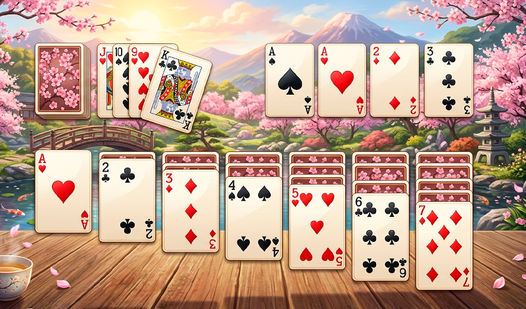
- Dynamic Landscapes: The background changes with every new deal, cycling through various seasonal settings.
- Customizable Settings: Choose to draw one or three cards, toggle scoring, and manage music playback.
- Move Tracking: A move counter is included to help you track your progress.
- Flexible Layout: On mobile devices, the table automatically adjusts for both portrait and landscape orientations.
How to Play
Foundation Building
Move all 52 cards onto four foundation piles in ascending order from ace to king, with one suit per pile.
Column Management
Place cards in columns on the next higher rank of the opposite color. You can move single cards or sequences, but only kings can fill empty columns.
Drawing and Moving
Use the draw button to reveal cards from the stock. Move the top waste card into a column or onto a foundation.
Assistance Tools
Use the hint button to see a legal move, undo to reverse the last action, or autocomplete to finish the layout when the remaining moves are obvious.
Who Should Play Solitaire: Seasons?
Frequently Asked Questions about Solitaire: Seasons
How do I start a new game?
A new deal shuffles the layout and changes the landscape.
Can I move entire stacks?
Yes, you may move a single card or a ready sequence in the columns.
Is Solitaire: Seasons free to play?
Yes, Solitaire: Seasons is free to play on Nub Games. No download or registration required.
Can I play Solitaire: Seasons on mobile?
Solitaire: Seasons works on both desktop and mobile devices.
What age rating is Solitaire: Seasons?
The catalog age rating for Solitaire: Seasons is 6+.