










Key Features
- Item interaction: Press E to pick up objects or open doors. You must collect specific items to solve riddles and progress further inside.
- Tactical crouching: Crouch with C to stay low and hidden. This allows you to bypass certain hazards without alerting Shrek.
- Combat mechanics: Defend yourself using the Left Mouse Button. You can attack to clear a path or deal with incoming threats.
How to Play
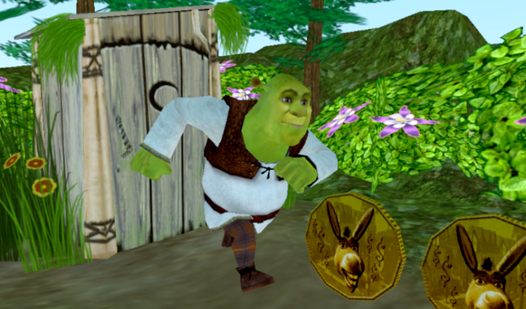
Shrek: My Neighbor: Mastering the break-in
To learn how to play Shrek: My Neighbor, start by exploring the perimeter of the house. Use E to interact with objects and search for clues. You need to solve riddles to advance your search. If you get stuck, look for items to combine using F to unlock new paths.
Shrek: My Neighbor: Movement and defense
The Shrek: My Neighbor controls include Space to jump and C to crouch. Use these when sneaking past obstacles to avoid detection. If you find a weapon, press the Left Mouse Button to attack. Dropping items with G helps you manage your inventory space while you search for the dog.
Who Should Play Shrek: My Neighbor?
Frequently Asked Questions about Shrek: My Neighbor
Can I play Shrek: My Neighbor on my phone?
Yes, the game supports mobile devices. You can use the touch interface with on-screen buttons to navigate the house and solve the riddles.
What are the controls for Shrek: My Neighbor?
On PC, you use the mouse to look and keys like E for interaction and Space to jump. Mobile users rely on an on-screen touch interface.
Is Shrek: My Neighbor free to play?
Yes, Shrek: My Neighbor is free to play on Nub Games. No download or registration required.
What age rating is Shrek: My Neighbor?
The catalog age rating for Shrek: My Neighbor is 12+.