

















Key Features
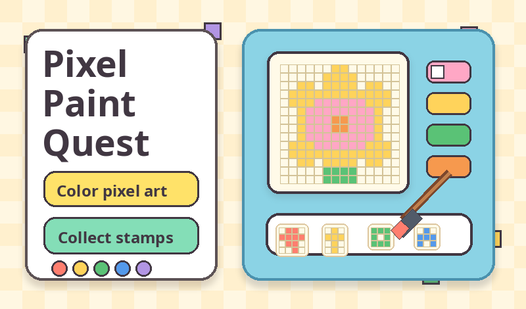
- Stamp collection system: Every finished puzzle turns into a movable stamp. You can build little scenes by dragging these assets onto a custom canvas.
- Hundreds of puzzles: The variety keeps things fresh. You'll switch from flowers to complex Japan-inspired art quickly.
- Free Draw mode: This lets you experiment with pixel patterns. It turns the game into a digital sketchbook.
- Star rewards: Earn stars to unlock more content. It feels good to see your progress bar fill up.
How to Play
Mastering the Pixel Paint Quest grid
Click a color from your palette, then tap a cell to fill it. You have to match the numbers or patterns to finish the image, but the Pixel Paint Quest controls are just simple point-and-click. Don't rush; you will misclick and lose your streak if you get too greedy with your mouse clicks.
Using the Pixel Paint Quest canvas
Once you finish a puzzle, it becomes a stamp. Go to the Free Draw mode to place these items on your own blank canvas. This is how to play Pixel Paint Quest if you want to be creative. Just remember that the interface gets a bit cramped when you try to layer too many stamps.
Who Should Play Pixel Paint Quest?
Frequently Asked Questions about Pixel Paint Quest
Can I play Pixel Paint Quest on my phone?
Yes, it works on mobile browsers. You can tap the screen to color just like you would with a mouse, which makes it great for playing on the go.
How do you earn more coins in Pixel Paint Quest?
You earn coins by completing puzzles and hitting star milestones. Use these coins to buy hints when you get stuck on a tricky pattern that feels impossible.
Is Pixel Paint Quest free to play?
Yes, Pixel Paint Quest is free to play on Nub Games. No download or registration required.
What age rating is Pixel Paint Quest?
The catalog age rating for Pixel Paint Quest is 0+.