







Key Features
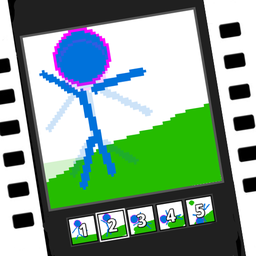
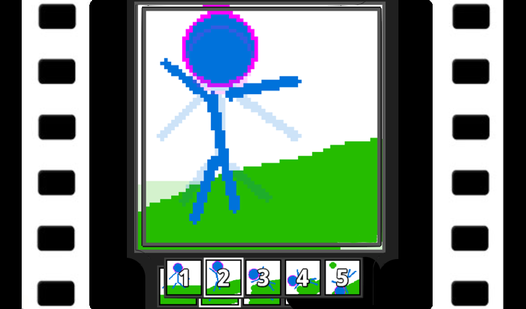
- Frame-by-frame control: Copy and paste frames to keep your rhythm consistent. You can manage multiple animations within a single project to stay organized.
- Layered transparency: Stack your sketches on different layers. This makes it simple to edit your background without touching your moving character.
- Universal export: Save your work as GIFs, PNGs, or sprite sheets. It connects directly to your game engines.
- Custom font creation: Draw your own pixel fonts. You can use these in your own projects later.
How to Play
Mastering Pixamator (Pixel Animator 2) basics
To learn how to play Pixamator (Pixel Animator 2), start by selecting the brush tool to sketch a simple shape on your first frame. Use your mouse or trackpad to click and drag. The Pixamator (Pixel Animator 2) controls are straightforward, but the interface can feel a bit cramped on smaller screens.
Refining your Pixamator (Pixel Animator 2) project
Once you have a frame, duplicate it to keep the character’s base pose intact. Adjust the limbs slightly for your next frame. A common mistake is moving too many pixels at once; subtle changes lead to much smoother motion. Keep tweaking your frames until the movement feels right to you.
Who Should Play Pixamator (Pixel Animator 2)?
Frequently Asked Questions about Pixamator (Pixel Animator 2)
How do you export animations in Pixamator (Pixel Animator 2)?
Look for the export menu in the settings bar where you can choose between GIF or sprite sheet formats. It handles the conversion for you.
Can I play Pixamator (Pixel Animator 2) on my phone?
Technically yes, though the tiny screen makes selecting individual pixels an absolute nightmare. It works much better on a desktop with a mouse.
Is Pixamator (Pixel Animator 2) free to play?
Yes, Pixamator (Pixel Animator 2) is completely free to play on Nub Games. There are no in-app purchases. No download or registration required.
Can I play Pixamator (Pixel Animator 2) on mobile?
Pixamator (Pixel Animator 2) works on both desktop and mobile devices. Best played in landscape mode.
What age rating is Pixamator (Pixel Animator 2)?
The catalog age rating for Pixamator (Pixel Animator 2) is 0+.