









Key Features
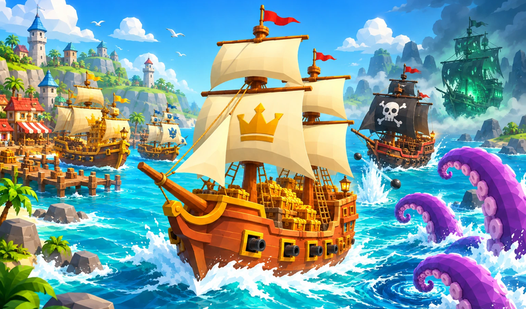
- Seven ship classes: Progress from a basic sloop to galleons and a ghost ship using six distinct upgrade paths.
- Port commerce and combat: Trade eight different commodities across fluctuating markets or silence shore batteries to seize control of harbours.
- Automatic broadside targeting: Ship cannons automatically fire from whichever side is facing your opponent when you press the fire control.
- Trade-based auto saving: The game records your journey and saves your data automatically after every major transaction.
How to Play
Steer and fire on desktop
Press W to sail forward, S to back astern, and A or D to turn. Click the fire button to loose cannons from whichever side faces the target.
Control the ship on mobile
Drag the virtual stick in the lower left corner to steer. Tap the dedicated buttons on the right side of the screen to fire cannons, view the map, or trigger time skip.
Dock to trade and repair
Steer toward a harbour and reduce your speed to come alongside. Ports allow you to buy and sell cargo, repair hull damage, buy upgrades, and access the shipyard.
Recover from lost ships
If rival fire sinks your vessel, you are rescued from the sea and lose a portion of your gold and upgrades, allowing the voyage to continue.
Frequently Asked Questions about Pirate King
What happens if your ship is destroyed?
You are pulled from the water to keep sailing, though some of your gold and ship upgrades are lost.
How do you dock at a harbour?
Sail close to the port and slow down to access trading, repairs, ship upgrades, and the shipyard.
How do you become crowned Pirate King?
Take over every port in the archipelago to earn the crown, ship bonuses, and access to a fresh sea.
Is Pirate King free to play?
Yes, Pirate King is free to play on Nub Games. Optional in-app purchases are available. No download or registration required.
Can I play Pirate King on mobile?
Pirate King works on both desktop and mobile devices.
What age rating is Pirate King?
The catalog age rating for Pirate King is 6+.