




Key Features
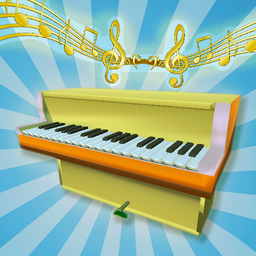
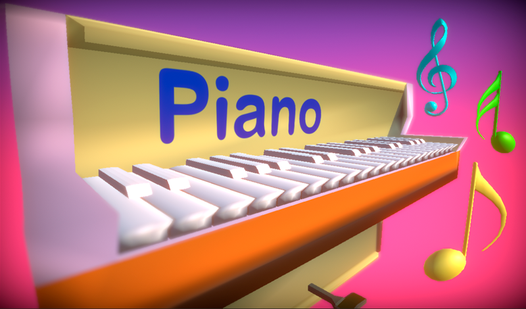
- Tactile feedback: The keys respond instantly to your input. This makes rapid-fire tapping feel sharp and responsive.
- Melody memory: The repeat mode forces your brain to store patterns quickly. You’ll find yourself humming the tunes after a few misses.
- Minimalist UI: Nothing clutters the screen while you focus. It’s just you and the keys.
- Free play: Switch to free mode to belt out your own compositions. It’s a great way to test your ear for pitch.
How to Play
Piano: Mastering the layout
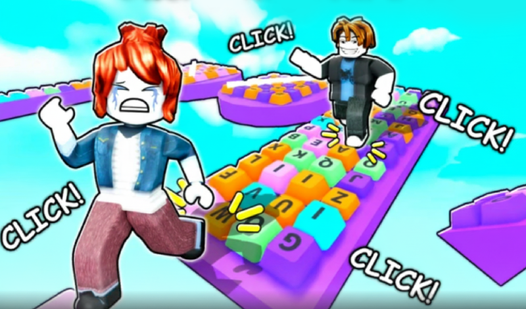
Use your mouse or keyboard to strike the keys. You’ll find the specific Piano controls mapped to your keys on the screen. Start by clicking around to get a feel for the spacing. Don’t rush the early notes, or you’ll mess up the rhythm before you even get going.
How to play Piano like a pro
In repeat mode, listen to the sequence closely before touching anything. The game highlights the keys you need to hit; follow that guide if you want to survive. If you try to guess the melody, you’ll fail. Watch the timing, because later sequences get fast and turn into an absolute nightmare.
Who Should Play Piano?
Frequently Asked Questions about Piano
Can I play Piano on my phone?
Yes, the interface adjusts for touchscreens perfectly. You tap the keys directly with your fingers, which feels more natural than using a mouse.
How many melodies are in Piano?
You get nine specific melodies to master in the repeat mode. Some of them are surprisingly tricky, so don't expect to clear them all on your first attempt.
Is Piano free to play?
Yes, Piano is completely free to play on Nub Games. There are no in-app purchases. No download or registration required.
Can I play Piano on mobile?
Piano works on both desktop and mobile devices. Best played in landscape mode.
What age rating is Piano?
Piano has a content rating of 0++. It is suitable for all ages.