








Key Features
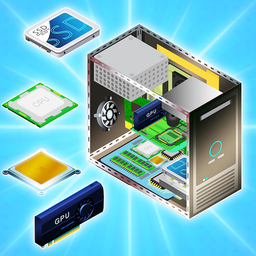
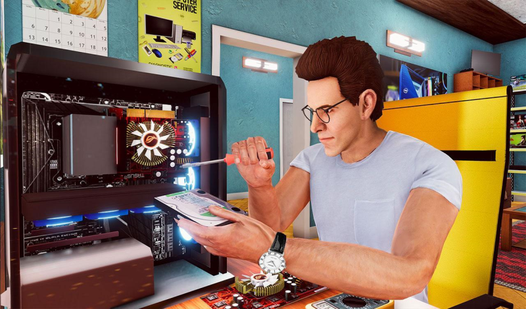
- Hardware depth: You learn exactly where the RAM sticks go and why the GPU needs extra power. It is surprisingly technical for a desktop game.
- Room scale: The 3D space feels tight. You will bump into boxes constantly.
- Upgrade paths: Swap out old parts for better ones. Your benchmark scores climb as you add faster hardware.
- Visual feedback: The screen glows when you succeed. It is a nice touch.
How to Play
Mastering PC SIMULATOR controls
Use WASD to walk around the room and click to grab parts. PC SIMULATOR controls feel a bit stiff when you try to rotate the camera quickly. Be patient with the mouse sensitivity. You need to snap components into the correct slots or the system will refuse to power on at all.
How to play PC SIMULATOR efficiently
Focus on the order of operations. Installing the CPU before the cooler is a classic mistake that ruins your workflow. You must purchase parts first, then assemble them carefully. Once the chassis is full, hit the power button to see if you actually managed to build a functional machine.
Who Should Play PC SIMULATOR?
Frequently Asked Questions about PC SIMULATOR
Can I play PC SIMULATOR on my phone?
Yes, the game is fully accessible on mobile devices using touch inputs. You simply tap the screen to move your character and interact with the various computer parts.
How do you start the computer in PC SIMULATOR?
You must ensure every necessary component is snapped into the correct position before clicking the power button. If you missed a cable or a part, the system will not boot.
Is PC SIMULATOR free to play?
Yes, PC SIMULATOR is completely free to play on Nub Games. There are no in-app purchases. No download or registration required.
Can I play PC SIMULATOR on mobile?
PC SIMULATOR works on both desktop and mobile devices. Best played in landscape mode.
What age rating is PC SIMULATOR?
The catalog age rating for PC SIMULATOR is 6+.