








Key Features
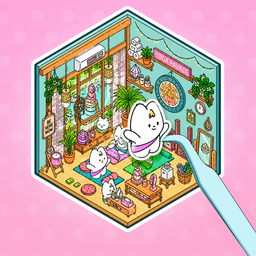
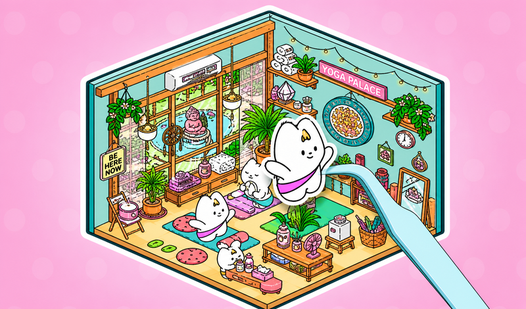
- Sticker chaos: Place hundreds of tiny assets anywhere. The freedom to clutter your screen brings a weird sense of peace.
- Room layering: Overlap objects to build complex scenes. You will need to manage your depth carefully so nothing disappears behind a wall.
- Visual snapshots: Save your best designs to show off. Your masterpiece deserves a permanent spot in your gallery.
- Infinite themes: Swap between cafe vibes or cozy bedroom aesthetics. Each set changes how you approach the empty floor space.
How to Play
Pack your room: Master the layout
Use your mouse or finger for Pack your room controls to drag items onto the canvas. Tap to select, then slide them into place. A common mistake is crowding the center, so try pushing furniture toward the edges to leave space for your favorite cats and accessories.
How to play Pack your room effectively
Rotate your stickers to fit those awkward corners. If you want to know how to play Pack your room like a pro, focus on layering your furniture to create depth. It gets tricky when you stack too many items, as the overlap logic can occasionally become a headache.
Who Should Play Pack your room?
Frequently Asked Questions about Pack your room
Can I play Pack your room on my phone?
Yes, this game runs perfectly on mobile browsers. You just tap and drag your stickers around the screen exactly like you would on a desktop.
How do you resize items in Pack your room?
You use the same touch or click inputs as you do for moving them. Sometimes the hitboxes feel a bit finicky when you try to scale tiny objects.
Is Pack your room free to play?
Yes, Pack your room is completely free to play on Nub Games. There are no in-app purchases. No download or registration required.
Can I play Pack your room on mobile?
Pack your room works on both desktop and mobile devices. Best played in landscape mode.
What age rating is Pack your room?
The catalog age rating for Pack your room is 0+.