

















Key Features
- Character Progression: Train your hero to improve speed and strength, and spend coins to upgrade block collection, placement, and building reach.
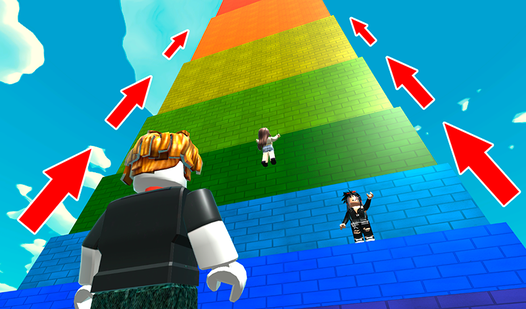
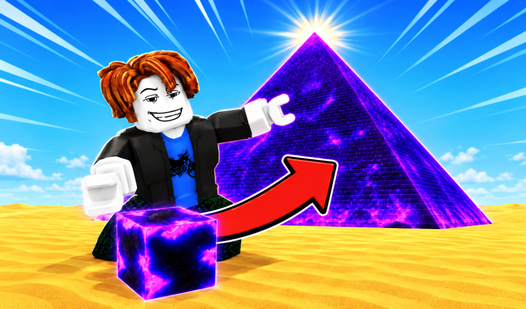
- Pyramid Construction: Complete pyramids to unlock temporary bonus training areas and begin new construction projects.
How to Play
Collecting and Building
Collect blocks automatically at the quarry. Aim at an empty building space and hold the left mouse button or hold the BUILD button on mobile to place blocks.
Training
Step onto treadmills or weight benches to train your character. Move to leave the equipment. Speed helps you reach the site faster, while strength increases the number of blocks you can carry.
PC Controls
Use WASD or arrow keys to move, Space to jump, and left Shift to run. Hold the right mouse button to rotate the camera, scroll to zoom, and use Tab or Esc to manage the cursor.
Mobile Controls
Use the on-screen joystick to move and swipe the look area to rotate the camera. Use the jump button to jump and the plus or minus buttons to adjust camera distance.
Who Should Play Obby: Build a Pyramid?
Frequently Asked Questions about Obby: Build a Pyramid
How do I carry more blocks?
You can increase the number of blocks you carry by using weight benches to train your strength.
What happens after I finish a pyramid?
Completing a pyramid unlocks a temporary bonus training area and allows you to start a new construction project.
Is Obby: Build a Pyramid free to play?
Yes, Obby: Build a Pyramid is free to play on Nub Games. Optional in-app purchases are available. No download or registration required.
Can I play Obby: Build a Pyramid on mobile?
Obby: Build a Pyramid works on both desktop and mobile devices.
What age rating is Obby: Build a Pyramid?
The catalog age rating for Obby: Build a Pyramid is 6+.