




Key Features
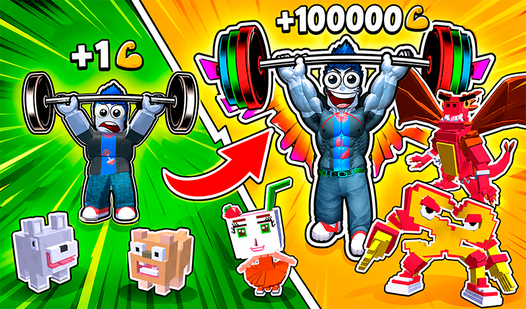
- Steve and Friends: Place creatures like Zombies to earn coins while you are away. They act as your passive income generators.
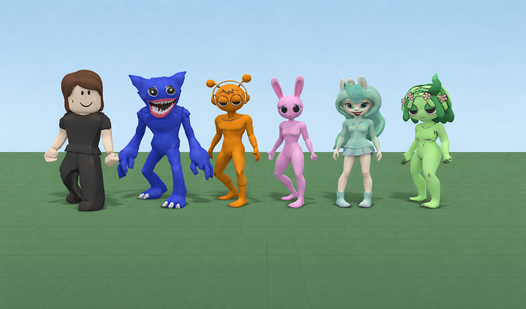
- Character Skins: Swap your avatar to look like Huggy Wuggy or Sprunki. It makes your speedruns look a lot better.
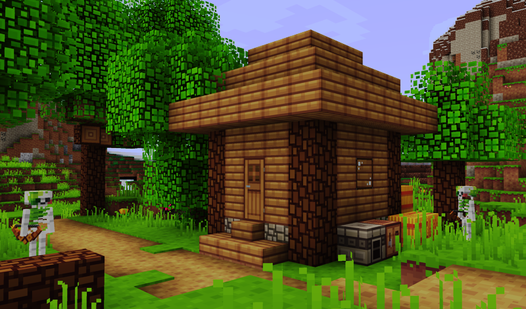
- Block Detailing: Use mini-blocks for fine touches. This lets you build tiny stairs that actually look like real architecture.
- Autosave World: Your progress stays saved automatically. You never have to worry about losing your progress after a long session.
How to Play
Obbi Sandbox: Mastering the movement
To learn how to play Obbi Sandbox, start by getting used to the WASD keys for movement and the space bar for jumps. Shift helps you sprint, which is necessary for clearing larger gaps. Don't go too fast at first. You will overshoot your target and fall off the map repeatedly.
Obbi Sandbox: Building your world
Use the LMB to drop blocks and RMB to delete them. The Q key is your best friend for cycling through slab sizes, which helps hide the jank in your construction. Check the Obbi Sandbox controls in the menu if you get stuck. Placing props feels clunky on mobile, though.
Who Should Play Obbi Sandbox?
Frequently Asked Questions about Obbi Sandbox
Can I play Obbi Sandbox on my phone?
Yes, it works fine on mobile devices. You just use the touch joystick and screen-drag controls to move and place your blocks exactly where you want them.
How do you earn coins in Obbi Sandbox?
You earn coins by running around the map and staying active. You can also place pets like Steve or Zombies to generate extra coins while you are offline.
Is Obbi Sandbox free to play?
Yes, Obbi Sandbox is completely free to play on Nub Games. There are no in-app purchases. No download or registration required.
Can I play Obbi Sandbox on mobile?
Obbi Sandbox works on both desktop and mobile devices. Best played in landscape mode.
What age rating is Obbi Sandbox?
Obbi Sandbox has a content rating of 6++. It is suitable for all ages.