
















Key Features
- Tutorial: The game includes a tutorial to help you get started.
- Helpful hints: Hints are available if you need help finding areas to color.
- Progress tracking: Track your progress for every picture as you color.
- Unlockable images: New images are unlocked once you reach 90 percent completion on a current page.
- Gallery: Completed coloring pages are saved and displayed in the menu in full color.
How to Play
Select a page
Choose a coloring page from the menu to begin.
Fill in colors
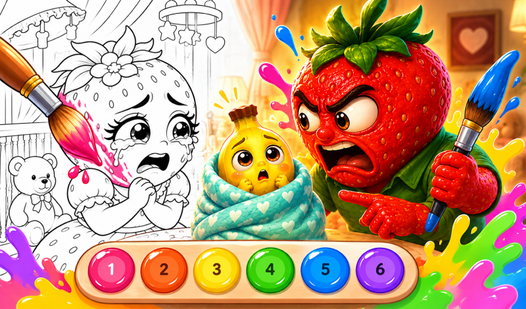
Select a color from the numbered palette at the bottom of the screen and tap the matching areas in the picture.
Use hints
Tap the light bulb icon to watch an ad and receive a hint if you cannot find the next area.
Complete the image
Continue filling in areas until the picture is 100 percent complete to save it in full color in the menu.
Who Should Play Neurofruits Coloring?
Frequently Asked Questions about Neurofruits Coloring
How do I unlock new coloring pages?
New coloring pages unlock automatically when you reach 90 percent completion on your current image.
Where can I see my finished work?
Completed coloring pages are saved and displayed in full color within the game menu.
Is Neurofruits Coloring free to play?
Yes, Neurofruits Coloring is free to play on Nub Games. Optional in-app purchases are available. No download or registration required.
Can I play Neurofruits Coloring on mobile?
Neurofruits Coloring works on both desktop and mobile devices. Best played in landscape mode.
What age rating is Neurofruits Coloring?
The catalog age rating for Neurofruits Coloring is 0+.