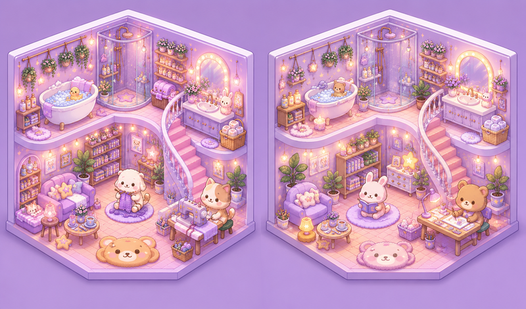












Key Features
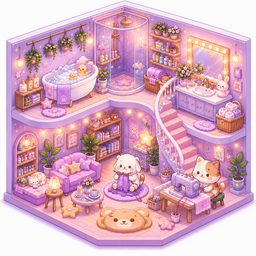
- Infinite layout options: Drag items anywhere to build scenes. Every room looks different depending on how you arrange your cat and furniture collection.
- Resize and rotate: Scale items to make them fit tight spaces. It changes the perspective of your entire scene.
- Share your art: Take a screenshot of your finished room. Show friends your weirdest interior design choices.
- Low stakes creation: There is no fail state here. Just chill out and decorate.
How to Play
Mastering My Sticker Room controls
To start, use your mouse or finger to drag items from the tray onto your blank canvas. My Sticker Room controls are simple, but don't get cocky. The hitbox on some smaller items is tiny, meaning you might accidentally move the background instead of the cake you meant to place.
How to play My Sticker Room like a pro
Once an item is placed, you can rotate and resize it to fit the vibe. This is how to play My Sticker Room effectively. Just be careful with the layering. If you stack too many stickers in one corner, it becomes a total nightmare to select the one underneath later.
Who Should Play My Sticker Room?
Frequently Asked Questions about My Sticker Room
Can I play My Sticker Room on my phone?
Yes, it works on mobile browsers just as well as desktop. You just use your finger to drag and drop items instead of a mouse.
How do you rotate items in My Sticker Room?
Select the item you want to change, and look for the rotate tool icon. It lets you tilt the stickers so they don't look completely flat on the wall.
Is My Sticker Room free to play?
Yes, My Sticker Room is completely free to play on Nub Games. There are no in-app purchases. No download or registration required.
Can I play My Sticker Room on mobile?
My Sticker Room works on both desktop and mobile devices. Best played in landscape mode.
What age rating is My Sticker Room?
The catalog age rating for My Sticker Room is 0+.