









Key Features
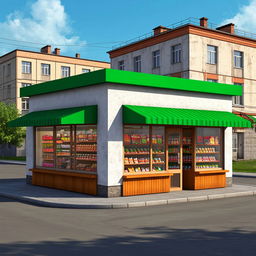
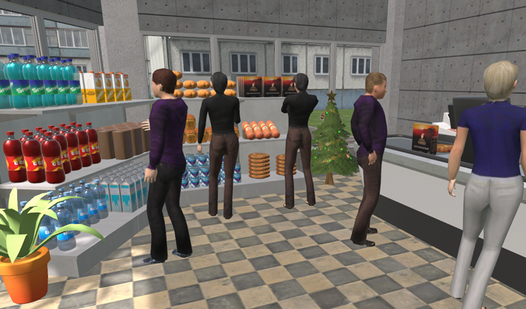
- Shelf placement freedom: Drag and drop units anywhere to design your own flow. Bad layouts mean customers get stuck and leave empty-handed.
- Inventory management loop: Buy bulk stock to save money, then hustle to get it on display before the morning rush starts.
- Decor and expansion: Dump your profit into upgrades that make the place look less like a warehouse. Your store rating depends on it.
- High quality visuals: This 3D food market looks clean on any desktop. It runs smooth enough to keep you focused on the numbers.
How to Play
MiniMarket: Stocking the essentials
Use WASD and the mouse to grab boxes and snap them onto shelves. You have to arrange items properly or customers walk right past. When you master the MiniMarket controls, you earn cash fast. Most players mess up by blocking the aisles with empty boxes, so clear your floor space.
How to play MiniMarket effectively
Left-click to place furniture and right-click to toss away junk. You need to rotate your stock to keep the shelves full and the money rolling in. Learning how to play MiniMarket is simple, but the physics can feel a little floaty when you are rushing to restock during a busy shift.
Who Should Play MiniMarket?
Frequently Asked Questions about MiniMarket
How do you clear out empty boxes in MiniMarket?
Simply grab the empty box with your left mouse button and use the right mouse button to toss it into the trash bin. Don't leave them cluttering the floor.
What are the controls for MiniMarket?
Use WASD to move your character and the mouse to look around. You interact with every object using the left mouse button, while the right button deletes items.
Is MiniMarket free to play?
Yes, MiniMarket is completely free to play on Nub Games. Optional in-app purchases are available. No download or registration required.
Can I play MiniMarket on mobile?
MiniMarket is currently available on desktop only. Best played in landscape mode.
What age rating is MiniMarket?
The catalog age rating for MiniMarket is 6+.