

Key Features
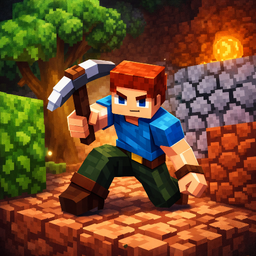
- Automated Harvest: Resources vanish into your bags the moment you get close. You never click to mine, which keeps the flow moving fast.
- Upgrade Loops: Every scrap of metal flows into your pickaxe stats. You feel the difference in speed after just two upgrades.
- Flying Saucer: The ship is your final goal. It acts as a massive resource sink that demands thousands of units.
- Planetary Scale: The map is huge. It feels a bit empty at times, but the distance justifies the grind.
How to Play
Mine&Build: Initial Steps
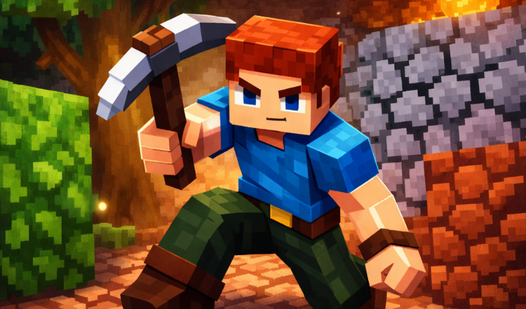
Use WASD to move your hero around the landscape. The game handles collection automatically, so just walk over resources to pick them up. You need to learn how to play Mine&Build by gathering iron and stone before you can even think about repairs. Keep an eye on your inventory space.
Mastering Mine&Build controls
The Mine&Build controls are simple, but don't let that fool you. You need to prioritize upgrading your pickaxe early on. Most players waste time mining low-tier rocks when they should be rushing the tool upgrades. It saves so much time later. Just watch your pathing to avoid getting stuck on geometry.
Who Should Play Mine&Build?
Frequently Asked Questions about Mine&Build
Can I play Mine&Build on my phone?
Yes, you can play this on mobile devices. The touch controls mirror the desktop experience, though the screen space feels a bit cramped during intense resource management sessions.
How do you upgrade tools in Mine&Build?
Access the upgrade menu by standing near your landing site and interacting with the ship interface. You spend your collected raw materials here to boost mining speed and capacity.
Is Mine&Build free to play?
Yes, Mine&Build is completely free to play on Nub Games. There are no in-app purchases. No download or registration required.
Can I play Mine&Build on mobile?
Mine&Build works on both desktop and mobile devices. Best played in none mode.
What age rating is Mine&Build?
Mine&Build has a content rating of 0++. It is suitable for all ages.